

Authentication
In order to upload benchmark results to CodSpeed, the CircleCI job needs to authenticate with CodSpeed. There are two supported methods for authentication: OpenID Connect (OIDC) and static CodSpeed tokens.OIDC (Recommended)
CodSpeed recommends using OpenID Connect (OIDC) for authentication. Using this method, a token is generated on-the-fly during the workflow run. This token is then used to authenticate securely with CodSpeed without needing to store long-lived credentials, but grants no additional permissions to the workflow. On CircleCI, this works by default: a job that sets noCODSPEED_TOKEN
authenticates with an OIDC token, and there is nothing to configure for it. If a
job cannot use OIDC, authenticate it with a CodSpeed token.
CodSpeed token
Some jobs cannot use OIDC and need a static CodSpeed token instead:- Pull requests opened from a fork, whose token names the fork rather than your repository.
- Pipelines triggered by a custom webhook, whose token names no repository at all.
- Jobs running on an image that does not ship the
circleciCLI, which the CodSpeed CLI needs to request the token.
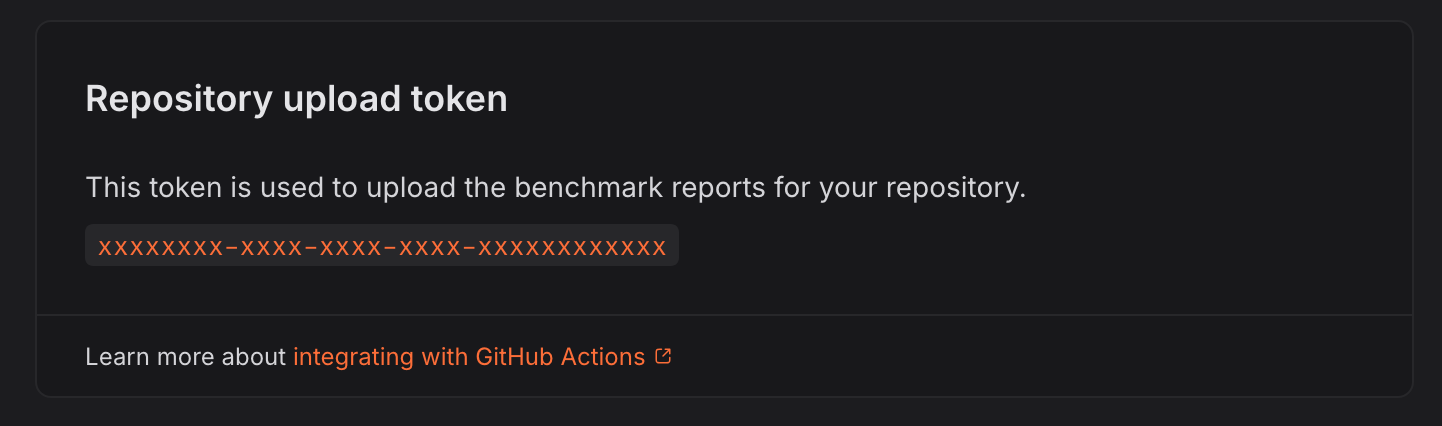
CODSPEED_TOKEN. The CodSpeed CLI reads it from the job environment.
Project settings
Pipeline trigger
CodSpeed recommends the PR opened or pushed to, default branch and tag pushes event for the benchmarks pipeline: it builds the default branch, recording the baselines, and builds pull requests, which is what CodSpeed reports on. See the setup guide for how to set it.Running the benchmarks in an existing pipeline
You can add the benchmarks to a pipeline you already have. Its trigger covers every job in it, so restricting the benchmarks to pull requests restricts the rest too. CircleCI does not rebuild a branch it has already built, so a branch built before you changed the trigger receives no performance report until you push a new commit to it.Legacy GitHub OAuth projects
CircleCI has two types of GitHub integration: the GitHub App, which the setup guide follows, and the GitHub OAuth app it replaces. CodSpeed supports both. An OAuth project holds a single pipeline, and its configuration has to live in.circleci/config.yml. The benchmarks job goes in that file, alongside your
other jobs, rather than in a dedicated one:
.circleci/config.yml
CODSPEED_TOKEN unset, it authenticates
with an OIDC token. Its trigger is the
one that pipeline already has, so
the same tradeoff applies.
To bypass these restrictions, CodSpeed recommends installing the CircleCI GitHub
App, which can be installed alongside an existing GitHub OAuth pipeline, and
giving the benchmarks a pipeline of their own as the
setup guide does.
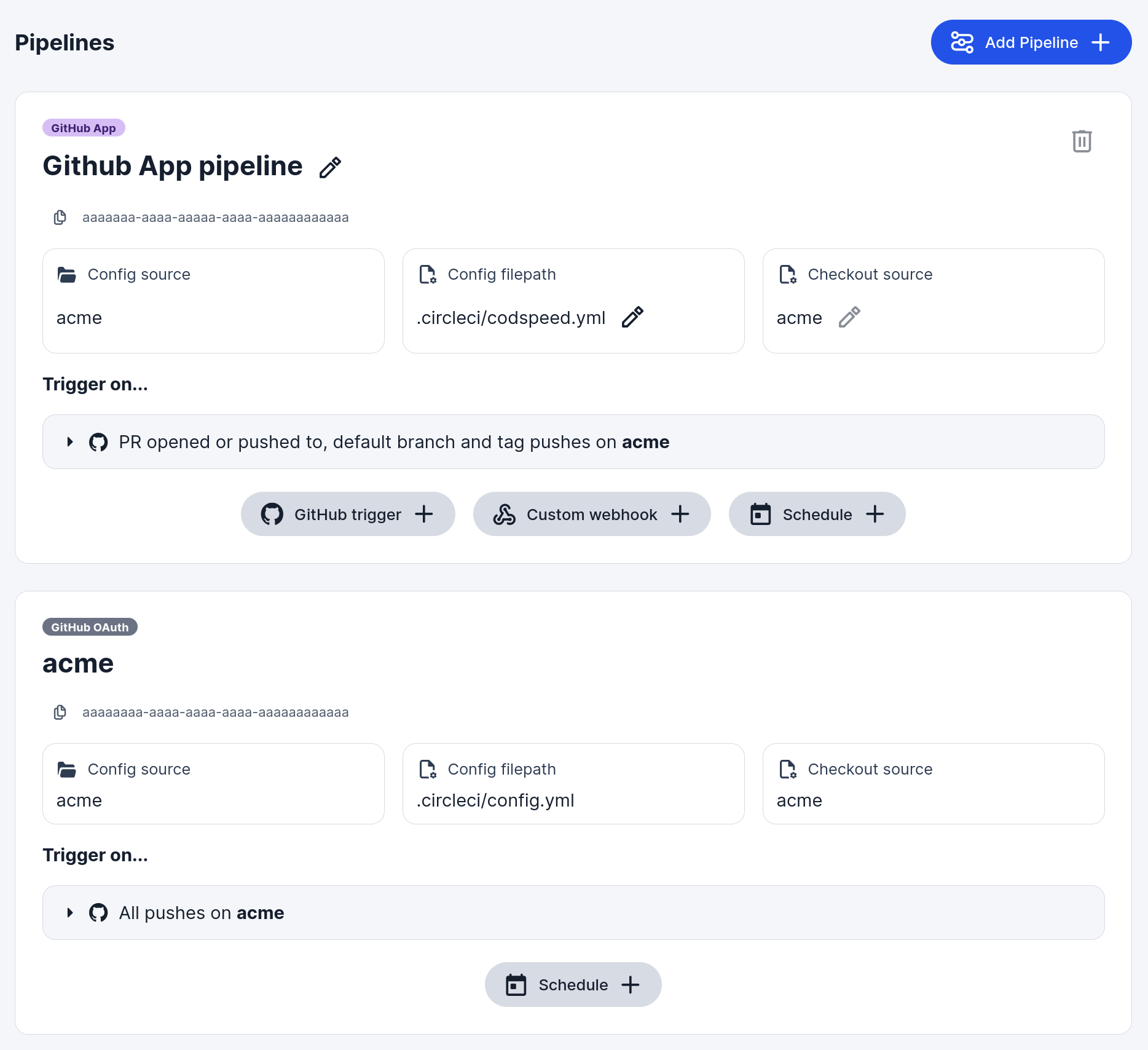
A GitHub App pipeline for the benchmarks, alongside the existing GitHub OAuth one.
Advanced
CLI version
The examples pin the CLI version in the install URL, which is what CodSpeed recommends: the tools an instrument needs are pinned to it, so a version that moves under you can shift the measurements. All versions are listed on the releases page. To install the latest version on every job instead, drop the version from the URL:.circleci/codspeed.yml
codspeed on the PATH of the steps that follow, since
every run step starts a fresh shell. Refer to the CircleCI documentation on
setting an environment variable in a shell command
for more details.
Running benchmarks in parallel CI jobs
Splitting a benchmark suite across several jobs cuts the time a run takes. On CircleCI, there are two ways to do it: a matrix of jobs, or theparallelism
key.
CodSpeed only supports emitting results from your benchmarks if you split them
within a single CI workflow.If you run benchmarks in multiple CI workflows, CodSpeed will not be able to
aggregate the results correctly, and you may see incomplete or missing data in
your CodSpeed reports.
Matrix jobs
A matrix declares one job per shard. Reach for it when the shards differ by more than a number, for example when each one runs a different benchmark command. For example withpytest. The --test-group options come from
pytest-test-groups,
which the benchmarks job needs installed alongside your other dependencies:
.circleci/codspeed.yml
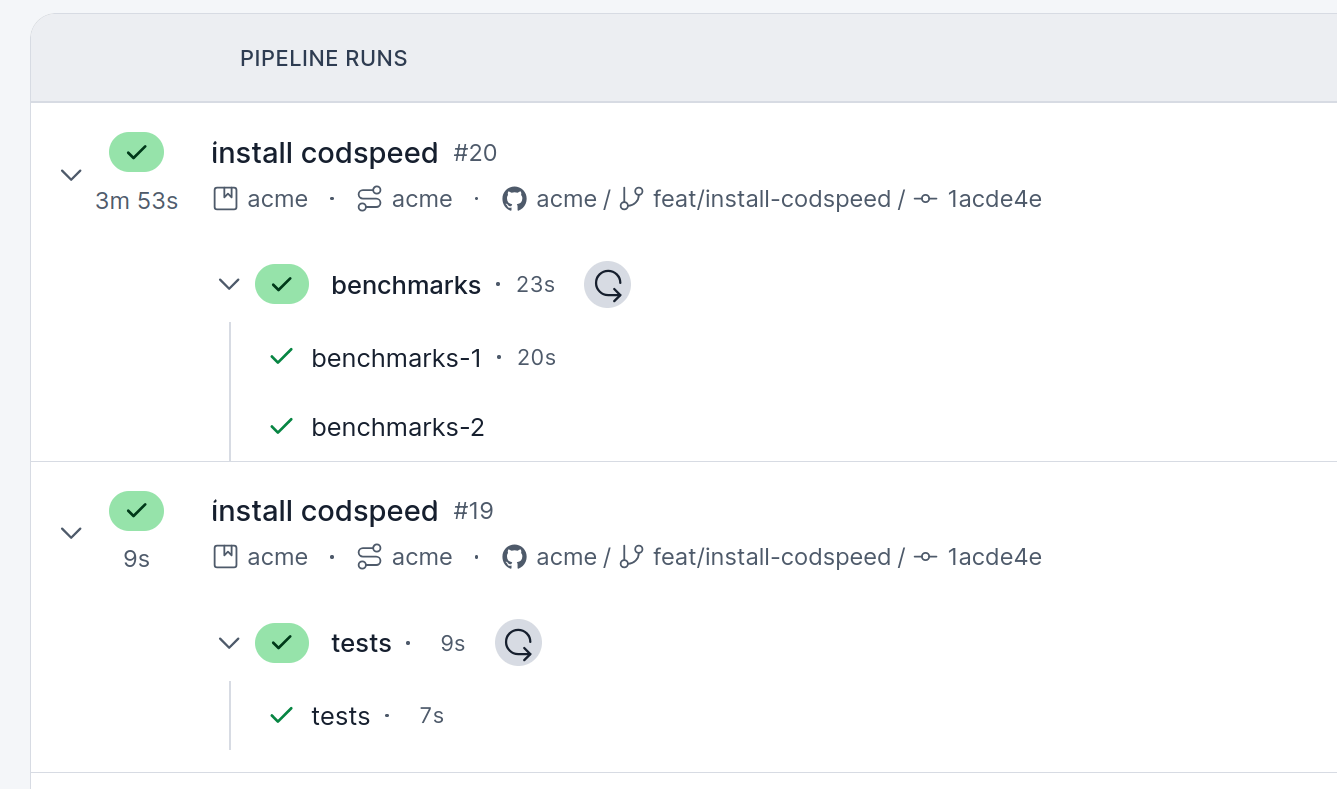
The two shards, in the benchmarks workflow.
The parallelism key
parallelism runs a job on several identical containers. They all run the same
steps, so the split comes from CIRCLE_NODE_INDEX, numbered from 0, and
CIRCLE_NODE_TOTAL. The example shifts the index by one, since
pytest-test-groups numbers its groups from 1:
.circleci/codspeed.yml
A job that does not split its benchmarks runs the whole benchmark suite on every
container. CodSpeed does not support the same benchmark running several times in
a run, and the pull request receives this comment instead of a performance
report: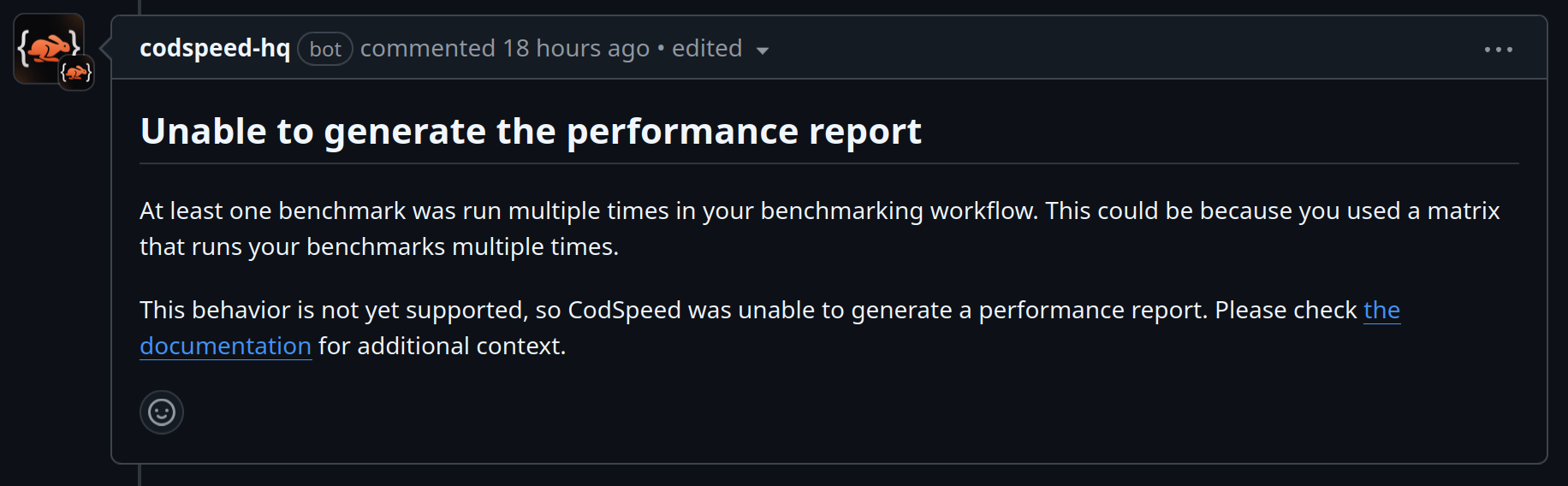
Benchmarks in several languages
Benchmarks written in several languages run in one job per language, in the same workflow. CodSpeed aggregates their results into a single performance report. For example, with Python and Rust benchmarks:.circleci/codspeed.yml
Caching the installed instruments
The CodSpeed CLI installs the tools its instruments need, such as valgrind for CPU simulation, on every job. Install them in a step of their own withcodspeed setup, pointed at a directory you cache, and later jobs restore them
instead of installing them again:
.circleci/codspeed.yml
--setup-cache-dir, since the instruments it installs
are already in place when the benchmarks run. Caching right after it, rather
than after the benchmarks, means a benchmark failure does not cost the next run
the install.
The tools are pinned to the CLI version, so include that version in the cache
key when you install a pinned CLI rather than the latest one.
Executors
Both themachine and the docker executor are supported:
machine, with an Ubuntu 22.04 or later image, for exampleubuntu-2404:current.docker, with an image based on Ubuntu 22.04 or later, or Debian 12 or later. CircleCI’scimgimages qualify.