

Prerequisites
- A repository hosted on GitHub, enabled on CodSpeed. CodSpeed reports the results on the pull requests of your repository provider, which is GitHub for a CircleCI pipeline.
- Benchmarks in that repository.
- The repository set up as a CircleCI project. Refer to the CircleCI documentation on creating a project.
For now, only the following OS and versions are supported on the runners:
- Ubuntu 22.04 and later
- Debian 12 and later
On the legacy GitHub OAuth integration, a project holds a single pipeline and
its configuration has to live in
.circleci/config.yml, so the benchmarks job
goes in that file instead of a dedicated one. CodSpeed supports it: see
legacy GitHub OAuth projects.1. Add the benchmarks job
Create a.circleci/codspeed.yml file with a job that installs the CodSpeed CLI
and runs your benchmarks with it:
.circleci/codspeed.yml
Sample configurations
- Python
- Rust
- Node.js
.circleci/codspeed.yml
2. Create the benchmarks pipeline
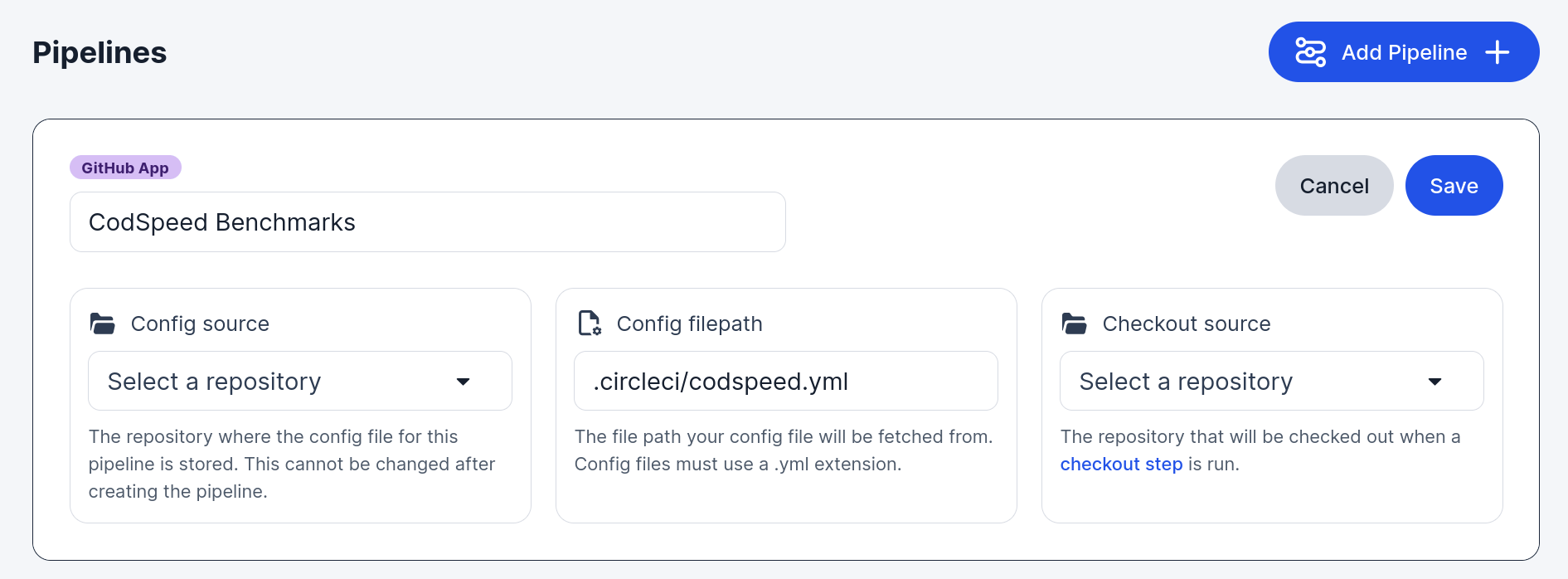
In Project Settings → Project Setup, add a pipeline:- Config source and Checkout source: your repository.
- Config filepath:
.circleci/codspeed.yml, the file from the previous step.
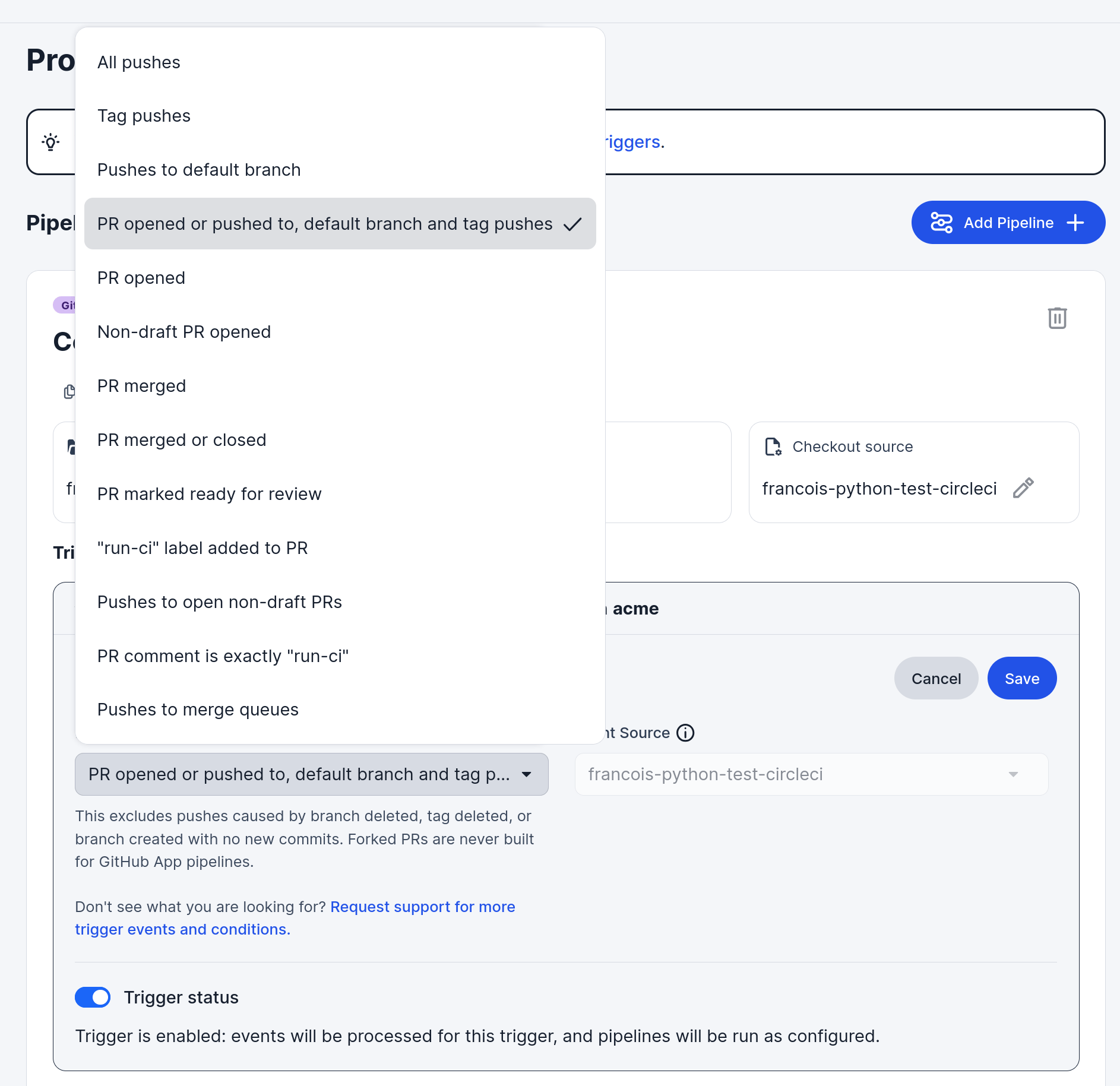
- Every push to the default branch. These runs record the baseline that pull requests are compared against.
- Pull requests, which is what CodSpeed reports on.
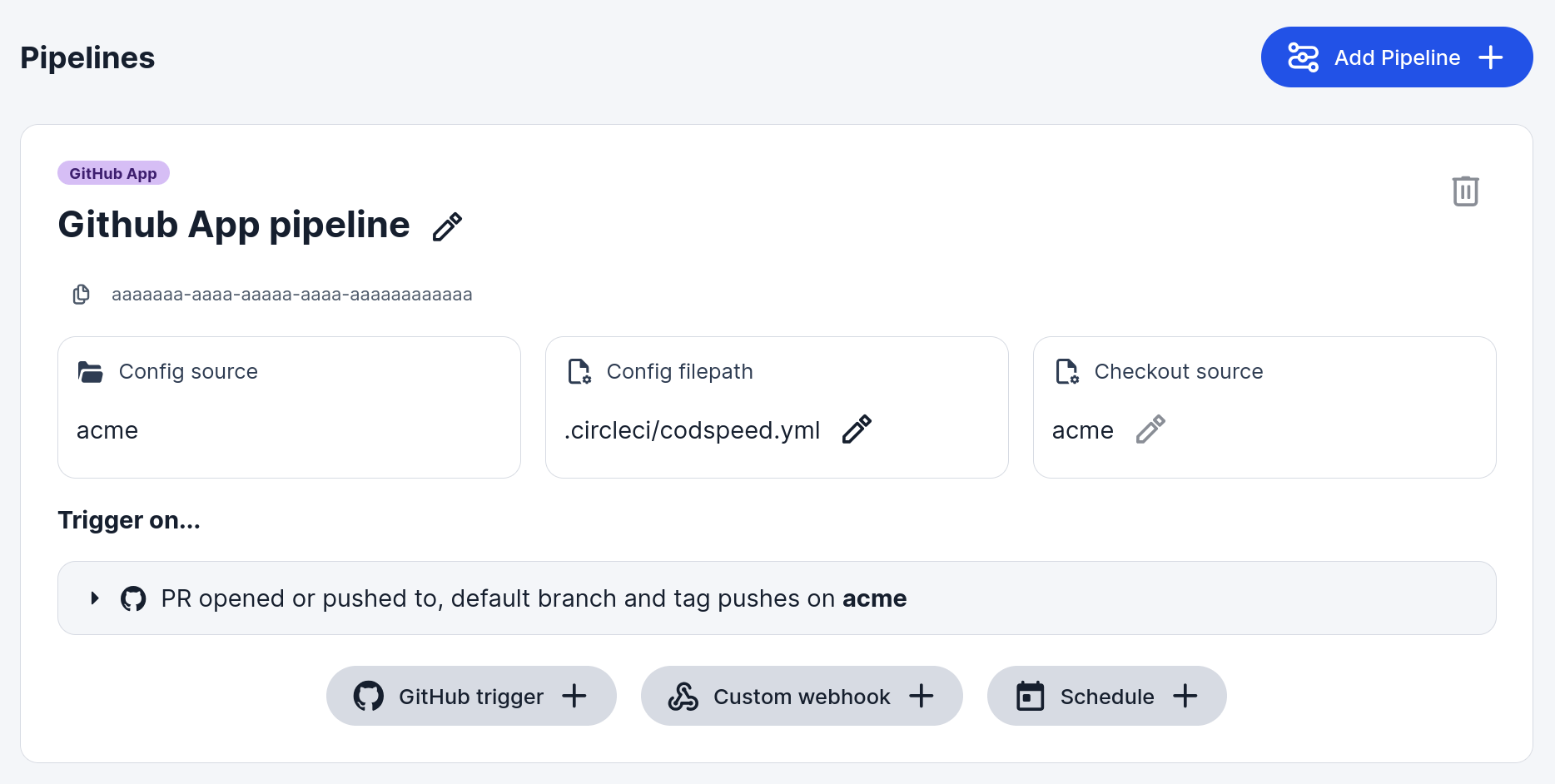
Pipelines and their triggers are configured in the CircleCI web app, not in a
config file. Refer to the CircleCI documentation on
pipelines and
GitHub trigger event options
for the other events a trigger supports.
3. Open a pull request
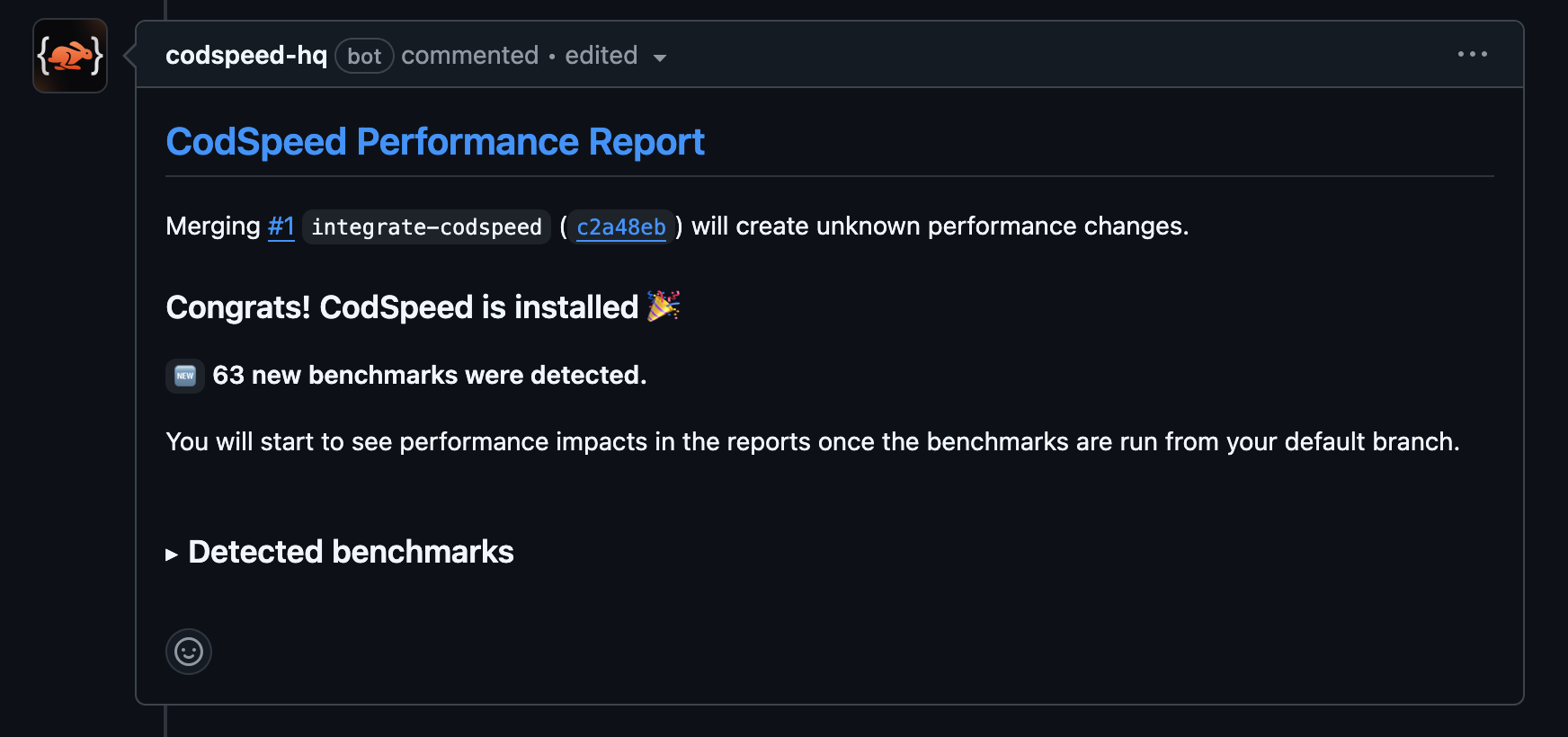
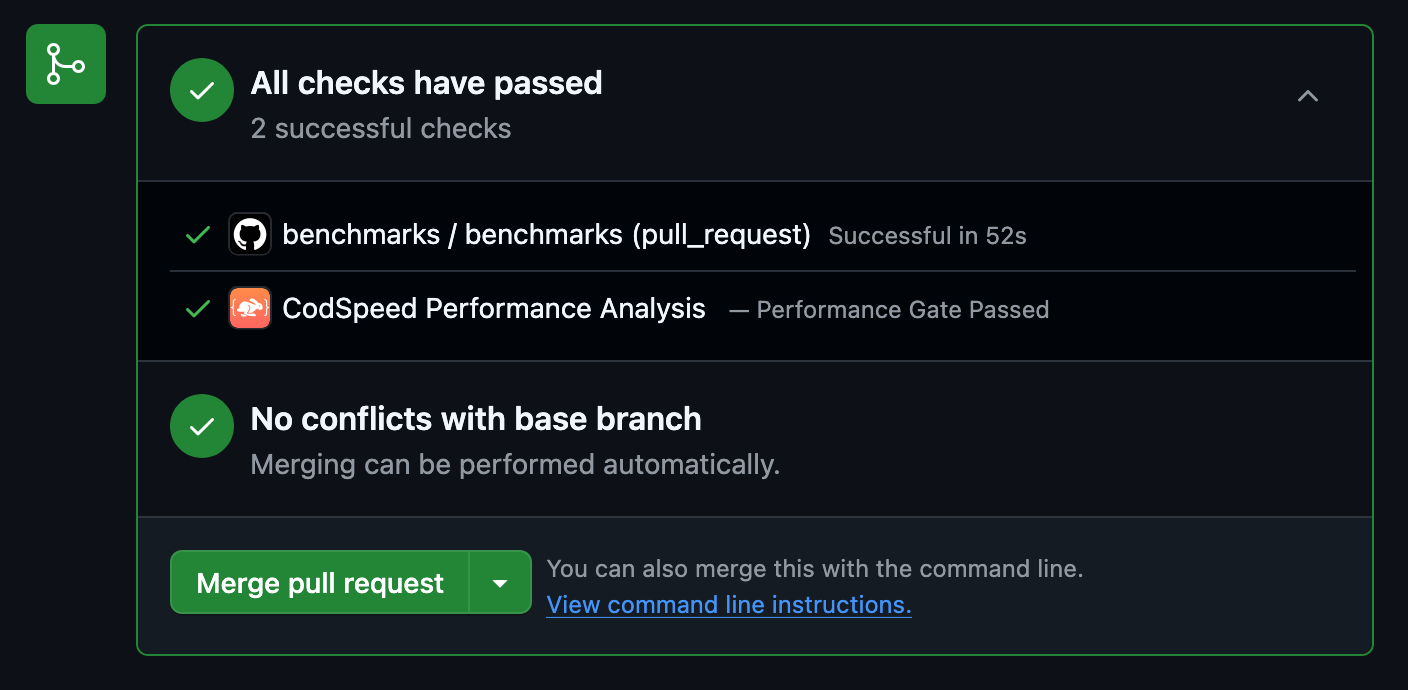
Open a pull request from the branch carrying.circleci/codspeed.yml. The
benchmarks pipeline runs, and the pull request receives a performance report
comment and a status check:
4. Next Steps
Now that everything is up and running (and hopefully green 🎉), you can start enhancing your pipeline to get the most out of CodSpeed.Configure CircleCI for CodSpeed
Learn how to configure authentication methods and advanced options for
CircleCI
Macro Runners on CircleCI
Measure walltime on dedicated bare-metal machines
Explore the Performance Metrics
Understand the performance metrics generated by CodSpeed
Enforce Performance Checks
Make sure you or team members never merge unexpected performance regressions
Explore Profiling
Get detailed flame graphs and performance traces for your benchmarks
Shard the execution of your benchmarks
Run your benchmarks in parallel to speed up your CI