This guide uses divan because it
strikes the best balance between power and simplicity:
Extensive features for both simple and complex benchmarking scenarios.
Intuitive API that’s approachable but powerful when needed.
Works on stable Rust without requiring nightly features.
divan also works seamlessly with parametrization, type generics, and dynamic
input generation. You can even benchmark across different types to compare their
performance characteristics.
Rust has several benchmarking frameworks to choose from:
divan,
criterion.rs, and libtest (bencher). This guide uses divan for its
simplicity and powerful features.
The harness = false setting tells Cargo to use divan’s benchmark runner
instead of the default one.
This step is mandatory for divan benchmarks to work correctly. Without it, the
benchmarks will not run at all.In the rest of this guide, we’ll assume you’ve added this configuration for each
of the shown benchmark files.
So far, we’ve only tested our function with a single input value (10). But what
if we want to see how performance changes with different input sizes? This is
where the args parameter comes in.Let’s update our benchmark to test multiple input sizes:
Looking at our Fibonacci results, we can see the exponential growth:
Nanoseconds (ns): For small inputs (1-4), the function is incredibly fast.
Microseconds (µs): At n=16, we’re in the microsecond range (1,000x
slower).
Milliseconds (ms): At n=32, we’ve reached milliseconds (1,000,000x slower
than n=1).
This exponential growth tells us we should probably use a different algorithm
for larger inputs. This is the O(2^n) complexity of naive recursive Fibonacci in
action.
Sometimes, you want to exclude setup time from your benchmarks. For example, if
you’re benchmarking a search function that operates on a large dataset, you
don’t want to include the time it takes to create that dataset in every
iteration.Here’s how to do that using
divan’s Bencher:
benches/vector_search.rs
fn main() { divan::main();}#[divan::bench(args = [100, 1000, 10000])]fn search_vector(bencher: divan::Bencher, size: usize) { // Setup: create a vector with test data // This runs once before all iterations let data: Vec<i32> = (0..size as i32).collect(); let target = size as i32 / 2; bencher.bench_local(|| { // Only this part is measured data.iter().find(|&&x| x == target) });}
The setup code (creating the vector) runs once before benchmarking starts, and
only the search operation inside bench_local is measured. This is perfect when
you can reuse the same input data across all iterations.
Sometimes you need fresh input data for each benchmark iteration, for example,
when benchmarking operations that consume or modify their input. You can use
with_inputs
to generate new data for each iteration without that generation time being
measured.Let’s benchmark a JSON parsing function that needs a fresh string each time. For
this example, we’ll use serde_json,
Rust’s most popular JSON library:
cargo add --dev serde_json
benches/json_parsing.rs
fn main() { divan::main();}// Expensive function to generate test datafn generate_large_json(size: usize) -> String { let items: Vec<_> = (0..size) .map(|i| format!(r#"{{"id":{},"name":"item_{}","value":{}}}"#, i, i, i * 10)) .collect(); format!("[{}]", items.join(","))}#[divan::bench(args = [10, 100, 1000])]fn parse_json(bencher: divan::Bencher, size: usize) { bencher .with_inputs(|| { // Generate test JSON data for each iteration. // This time is NOT measured. generate_large_json(size) }) .bench_values(|json_string| { // This is what we're actually benchmarking: // parsing the JSON string. serde_json::from_str::<serde_json::Value>(&json_string) });}
The with_inputs closure runs before each benchmark iteration, but its
execution time is excluded from the measurements. This ensures you’re only
measuring the parsing performance, not the data generation.When to use this:
Generating random or large test data.
Loading files or fixtures.
Creating complex data structures.
Any expensive setup that shouldn’t affect your measurements.
Important: Use with_inputs when the input needs to be fresh for each
iteration. For inputs that can be reused across iterations, create them once
before calling bencher.
To benchmark asynchronous functions, let’s use the popular
tokio runtime. First, add tokio to your
dev dependencies:
cargo add --dev tokio --features time,rt-multi-thread
To benchmark async functions, we will create a Tokio runtime inside the
benchmark and use it to execute the async code. We will use bench_local to
ensure only the async function execution time is measured, excluding the runtime
setup time.
benches/async.rs
use tokio::runtime::Runtime;use tokio::time::{Duration, sleep};fn main() { divan::main();}#[divan::bench]fn async_sleep_benchmark(bencher: divan::Bencher) { let rt = Runtime::new().unwrap(); bencher.bench_local(|| { rt.block_on(async { sleep(Duration::from_millis(100)).await; // simulates async work for 100ms }); });}
Here is the output when you run the benchmark:
terminal
async fastest │ slowest │ median │ mean │ samples │ iters╰─ async_sleep_benchmark 100.8 ms │ 114.1 ms │ 104.2 ms │ 104 ms │ 100 │ 100
The results are close to the expected 100ms sleep time, but there is some
overhead. This is because we are also measuring block_on and the context
switching involved in async execution. Async benchmarks are planned to be
supported natively in future versions of divan.
Since asynchronous functions most likely involve I/O operations, their execution
time can vary significantly based on external factors like network latency or
disk speed. When benchmarking async code, consider running more iterations or
rounds to obtain reliable measurements.If you are using CodSpeed in your CI to run your benchmarks, be sure to use the
Walltime instrument to get accurate timing for async
operations.
The Rust compiler is incredibly smart and might optimize away your benchmark if
the result isn’t used. Here’s how to prevent this:
// ❌ BAD: Compiler might optimize this away#[divan::bench]fn bad_bench() { fibonacci(10); // Result not used}// ✅ BEST: Return the value from your benchmark#[divan::bench]fn good_bench() -> u64 { fibonacci(divan::black_box(10))}// ✅ ALTERNATIVE: Use black_box on the output#[divan::bench]fn alternative_bench() { divan::black_box(fibonacci(divan::black_box(10)));}
The go-to solution is returning the value from your benchmark function. This
automatically prevents the compiler from optimizing away the computation and
also avoids measuring the time to drop the result (which can be significant for
types like String or Vec).Use divan::black_box on inputs to prevent the compiler from making assumptions
about known values at compile time:
// Prevent optimization based on known input values#[divan::bench(args = [1, 10, 100])]fn benchmark_with_args(n: u64) -> u64 { // black_box the input to prevent compile-time optimizations fibonacci(divan::black_box(n))}
Return values when possible, use black_box on inputs to prevent
compile-time optimizations. Only use black_box on outputs when you can’t
return the value.
In real-world projects, you’ll want to benchmark functions from your own crate,
not functions defined directly in the benchmark file. Here’s how to set up
benchmarks for a typical algorithms library with synthetic data generation.Let’s say you have a sorting library with this function in src/lib.rs:
src/lib.rs
pub fn bubble_sort(mut arr: Vec<i32>) -> Vec<i32> { let n = arr.len(); for i in 0..n { for j in 0..n - 1 - i { if arr[j] > arr[j + 1] { arr.swap(j, j + 1); } } } arr}
Here is what the benchmark file benches/sorting.rs would look like to
benchmark this function with synthetic data:
benches/sorting.rs
use my_lib::bubble_sort; // replace `my_lib` with your crate namefn main() { divan::main();}// Generate synthetic test datafn generate_random_vec(size: usize) -> Vec<i32> { use std::collections::hash_map::DefaultHasher; use std::hash::{Hash, Hasher}; (0..size) .map(|i| { let mut hasher = DefaultHasher::new(); i.hash(&mut hasher); (hasher.finish() % 10000) as i32 }) .collect()}#[divan::bench(args = [100, 1000, 10_000])]fn bench_bubble_sort(bencher: divan::Bencher, size: usize) { bencher .with_inputs(|| generate_random_vec(size)) .bench_values(|data| bubble_sort(data));}
With multiple benchmark files, your project structure will look like this:
[package]name = "crate_a"version = "0.1.0"edition = "2021"[[bench]]name = "sorting"harness = false[dev-dependencies]divan = { workspace = true } # use the workspace version
You can then use the -p flag to run the benchmarks for specific crates:
cargo bench # will run benchmarks in all workspace cratescargo bench -p crate_a # will only run benchmarks in crate_acargo bench -p crate_b # will only run benchmarks in crate_bcargo bench -p crate_a --bench sorting # only runs benchmarks in crate_a's sorting.rs
So far, you’ve been running benchmarks locally. But local benchmarking has
limitations:
Inconsistent hardware: Different developers get different results
Manual process: Easy to forget to run benchmarks before merging
No historical tracking: Hard to spot gradual performance degradation
No PR context: Can’t see performance impact during code review
This is where CodSpeed comes in. It runs your benchmarks automatically in CI
and provides:
Automated performance regression detection in PRs
Consistent metrics with reliable measurements across all runs
Historical tracking to see performance over time with detailed charts
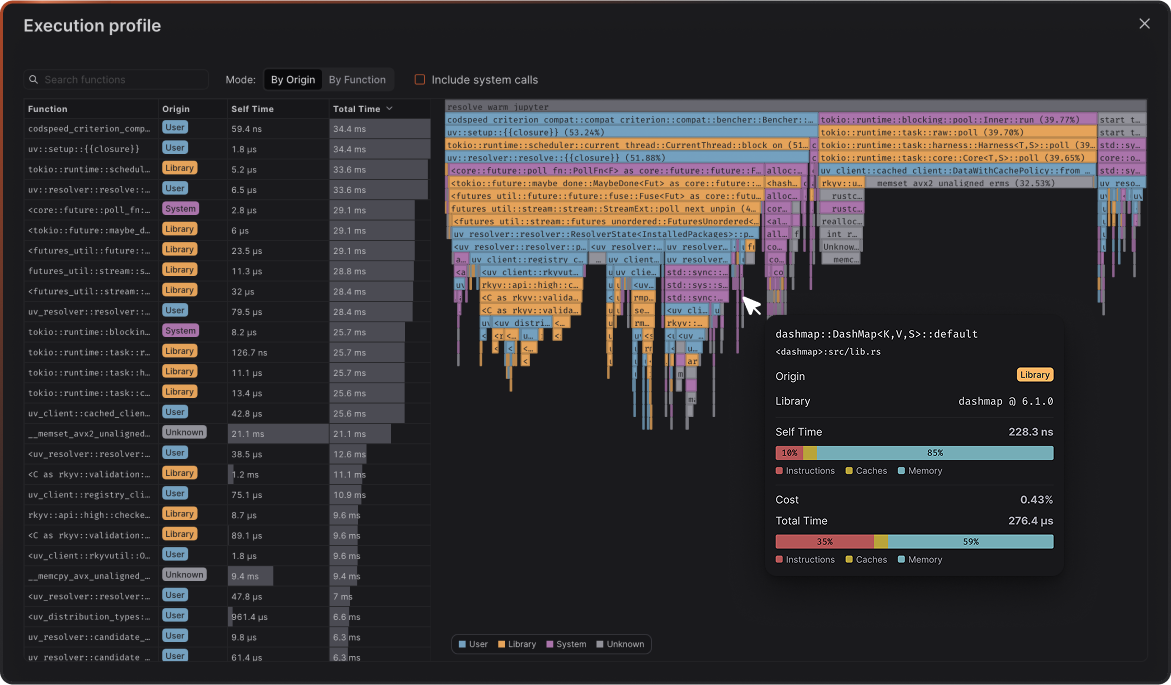
Flamegraph profiles to see exactly what changed in your code’s execution
CodSpeed works with all three Rust benchmarking frameworks: divan,
criterion.rs, and bencher. If you’re already using criterion.rs or
bencher, check out their respective CodSpeed integration
guides.
Here’s how to integrate CodSpeed with your divan benchmarks:
1
Install cargo-codspeed
First, install the cargo-codspeed CLI tool locally to test:
cargo install cargo-codspeed --locked
2
Switch to CodSpeed Compatibility Layer
CodSpeed provides a drop-in replacement for divan that adds instrumentation for
profiling. Replace your divan dependency with the CodSpeed compatibility
layer:
This command updates your Cargo.toml to use the CodSpeed compatibility layer
while keeping the name divan, so you don’t need to change any of your
benchmark code:
Cargo.toml
[dev-dependencies]divan = { package = "codspeed-divan-compat", version = "*" }
The compatibility layer doesn’t change your benchmark behavior when running
cargo bench locally, it only adds instrumentation when running in a CodSpeed
environment.
3
Test Locally
First, build your benchmarks with the CodSpeed instrumentation harness:
terminal
$ cargo codspeed build[cargo-codspeed] Measurement mode: Instrumentation Compiling libc v0.2.177 ... # other dependencies Finished `bench` profile [optimized] target(s) in 19.47sBuilt benchmark `fibonacci` in package `docs-guides`Built benchmark `vector_search` in package `docs-guides`Built benchmark `types` in package `docs-guides`Built benchmark `json_parsing` in package `docs-guides`Built 4 benchmark suite(s)
This compiles your benchmarks with CodSpeed’s instrumentation enabled, which
will capture detailed profiling information during execution.Then run the benchmarks to verify everything works:
Notice there are no performance measurements (no timing numbers) in the local
output. Here, we verify your benchmarks compile and execute correctly.CodSpeed only captures actual performance data when running in CI or locally
with the codspeed CLI.
Learn more on how to use the codspeed CLI locally.
At the moment, local runs are only supported on Ubuntu and Debian.
4
Set Up GitHub Actions
Create a workflow file to run benchmarks on every push and pull request:
.github/workflows/codspeed.yml
name: CodSpeed Benchmarkson: push: branches: - "main" # or "master" pull_request: # `workflow_dispatch` allows CodSpeed to trigger backtest # performance analysis in order to generate initial data. workflow_dispatch:jobs: benchmarks: name: Run benchmarks runs-on: ubuntu-latest permissions: # optional for public repositories contents: read # required for actions/checkout id-token: write # required for OIDC authentication with CodSpeed steps: - uses: actions/checkout@v5 - name: Setup rust toolchain, cache and cargo-codspeed binary uses: moonrepo/setup-rust@v1 with: channel: stable cache-target: release bins: cargo-codspeed - name: Build the benchmark target(s) run: cargo codspeed build - name: Run the benchmarks uses: CodSpeedHQ/action@v5 with: mode: simulation run: cargo codspeed run
5
Check the Results
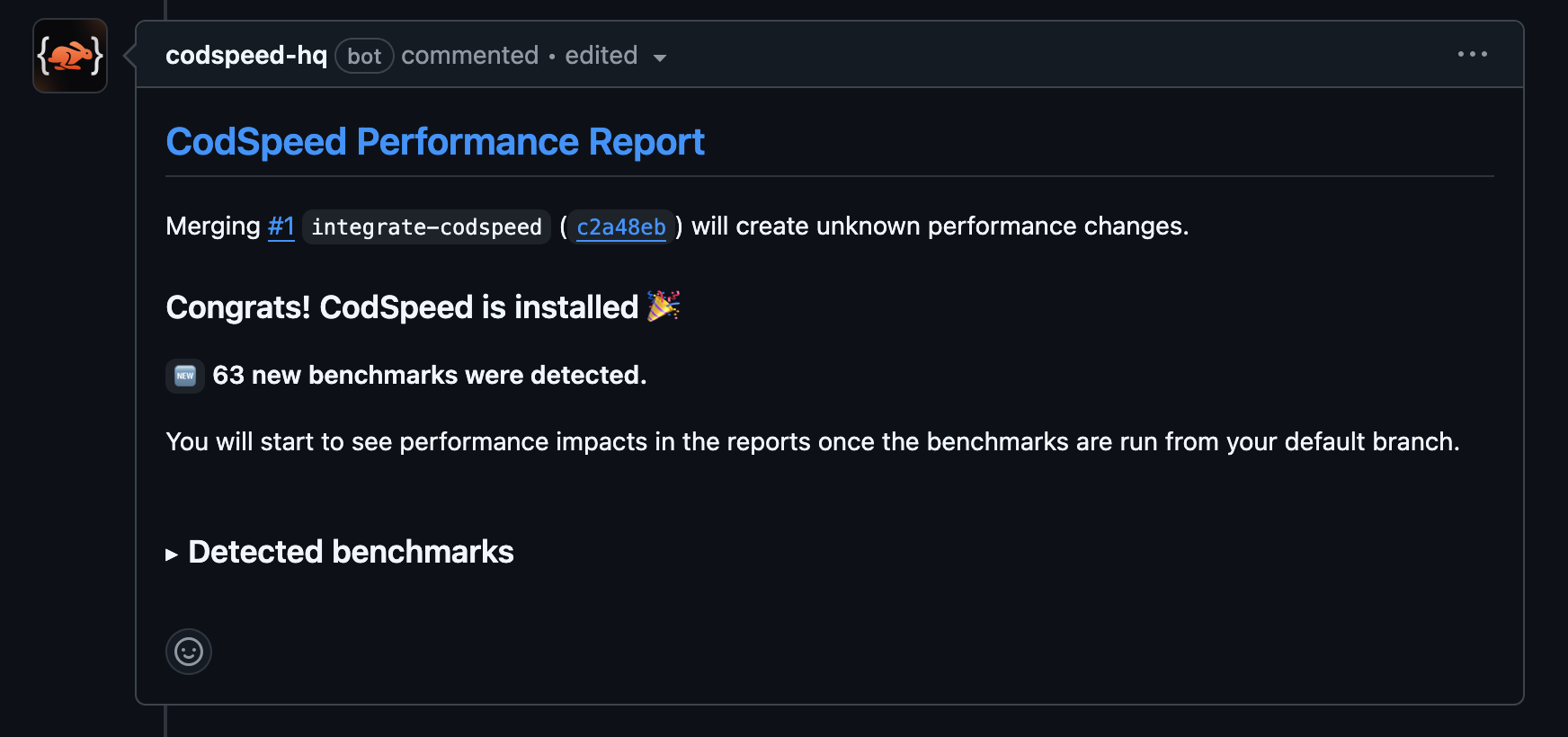
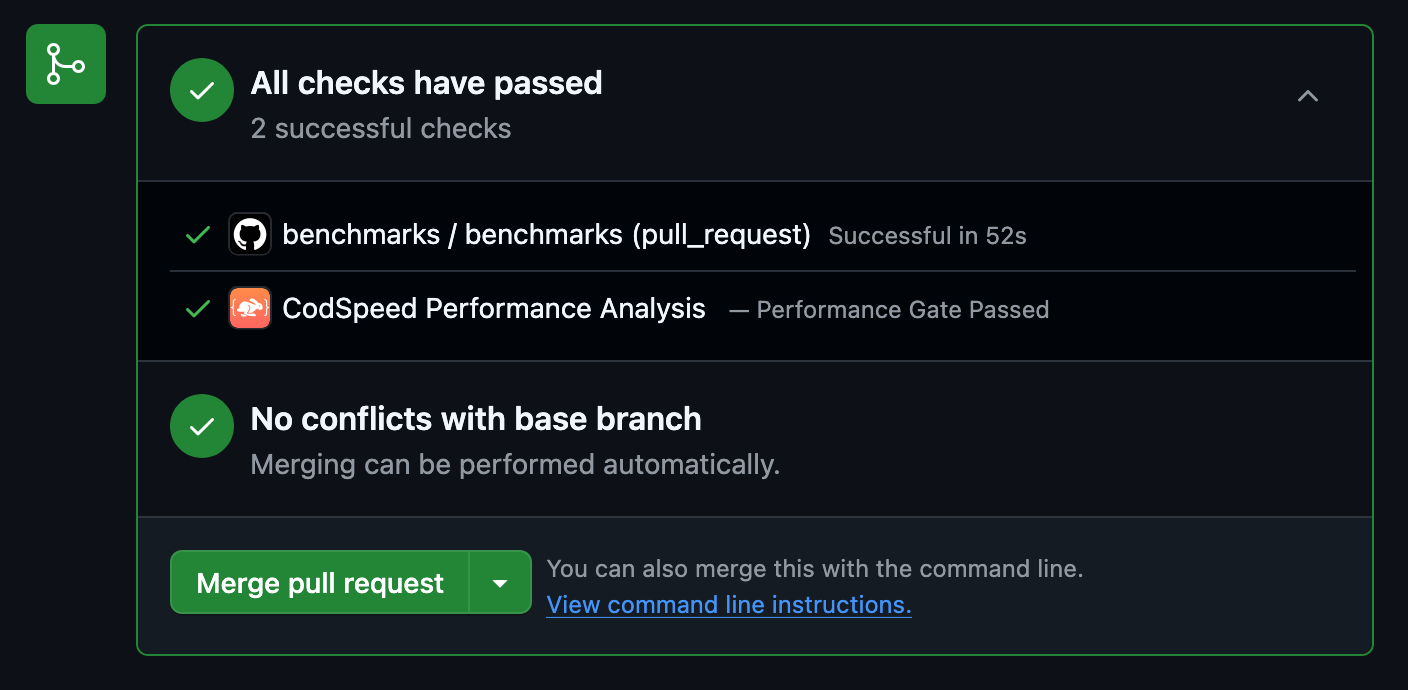
Once the workflow runs, your pull requests will receive a performance report
comment:
6
Access Detailed Reports and Flamegraphs
After your benchmarks run in CI, head over to your CodSpeed dashboard to see
detailed performance reports, historical trends, and flamegraph profiles for
deeper analysis.