We are going to use google_benchmark,
the standard C++ benchmarking library maintained by Google. It’s widely adopted
across the C++ ecosystem, supports fixtures and parameterized benchmarks with
statistical analysis, and works with CMake, Bazel, and other build systems.
#include <benchmark/benchmark.h>// Recursive Fibonacci function to benchmarkstatic long long fibonacci(int n) { if (n <= 1) return n; return fibonacci(n - 1) + fibonacci(n - 2);}// Define the benchmarkstatic void BM_Fibonacci(benchmark::State &state) { // Use a volatile variable to prevent compile-time optimization volatile int n = 30; // This loop runs multiple times to get accurate measurements for (auto _ : state) { // Prevent compiler from optimizing away the computation auto result = fibonacci(n); benchmark::DoNotOptimize(result); }}// Register the benchmark, specifying the time unit as milliseconds for better// readabilityBENCHMARK(BM_Fibonacci)->Unit(benchmark::kMillisecond);// Entrypoint that runs all registered benchmarksBENCHMARK_MAIN();
A few things to note:
volatile int n = 30 prevents the compiler from computing the result at
compile time
benchmark::State& state provides the benchmark loop that runs your code
multiple times
for (auto _ : state) is where your actual benchmark code goes - this loop is
timed
benchmark::DoNotOptimize() prevents the compiler from optimizing away the
result
BENCHMARK() registers your function as a benchmark
->Unit(benchmark::kMillisecond) displays results in milliseconds for
better readability as by default it’s in nanoseconds
BENCHMARK_MAIN() provides the entry point that discovers and runs all
benchmarks
Create a CMakeLists.txt file in the benchmarks/ folder:
benchmarks/CMakeLists.txt
cmake_minimum_required(VERSION 3.14)project(my_benchmarks VERSION 0.1.0 LANGUAGES CXX)# Use C++17 (or your preferred version)set(CMAKE_CXX_STANDARD 17)set(CMAKE_CXX_STANDARD_REQUIRED ON)# Enable optimizations with debug symbols for profilingset(CMAKE_BUILD_TYPE RelWithDebInfo)# Fetch google_benchmark from CodSpeed's repositoryinclude(FetchContent)FetchContent_Declare( google_benchmark GIT_REPOSITORY https://github.com/CodSpeedHQ/codspeed-cpp SOURCE_SUBDIR google_benchmark GIT_TAG main)set(BENCHMARK_DOWNLOAD_DEPENDENCIES ON)FetchContent_MakeAvailable(google_benchmark)# Create the benchmark executableadd_executable(bench main.cpp)# Link against google_benchmarktarget_link_libraries(bench benchmark::benchmark)
Key configuration points:
CMAKE_BUILD_TYPE RelWithDebInfo enables optimizations with debug symbols for
accurate profiling
We use CodSpeed’s fork of google_benchmark which adds performance
measurement capabilities and CI integration
BENCHMARK_DOWNLOAD_DEPENDENCIES ON allows google_benchmark to download its
dependencies
-- The CXX compiler identification is GNU 14.2.1-- Detecting CXX compiler ABI info-- Detecting CXX compiler ABI info - done-- Configuring done (8.6s)-- Generating done (0.1s)-- Build files have been written to: /home/user/my_project/benchmarks/build[ 1%] Building CXX object ......[100%] Built target bench
Now run your benchmark:
./bench
You should see output like this:
terminal
2025-12-01T17:24:27+01:00Running ./benchRun on (8 X 24 MHz CPU s)CPU Caches: L1 Data 64 KiB L1 Instruction 128 KiB L2 Unified 4096 KiB (x8)Load Average: 8.47, 7.96, 7.04-------------------------------------------------------Benchmark Time CPU Iterations-------------------------------------------------------BM_Fibonacci 2.74 ms 2.65 ms 271
Congratulations! You’ve created your first C++ benchmark. The output shows that
computing fibonacci(30) takes about 2.74 milliseconds on average.
Understanding the results:
Time: Wall-clock time per iteration (lower is better)
CPU: CPU time per iteration (accounts for multi-threading)
Iterations: How many times the benchmark ran to get reliable measurements
So far, we’ve only tested our function with a single input (n=30). But what if
we want to see how performance changes with different input sizes? This is where
DenseRange comes in.Let’s add a parameterized benchmark to test Fibonacci with various input sizes.
Update your main.cpp to include:
benchmarks/main.cpp
// Define the benchmark with a parameterstatic void BM_Fibonacci_DenseRange(benchmark::State &state) { // Get the input value from the benchmark parameter volatile int n = state.range(0); for (auto _ : state) { auto result = fibonacci(n); benchmark::DoNotOptimize(result); }}// Test Fibonacci with inputs from 15 to 35 in steps of 5BENCHMARK(BM_Fibonacci_DenseRange) ->DenseRange(15, 35, 5) // Test inputs 15, 20, 25, 30, 35 ->Unit(benchmark::kMillisecond);
Now state.range(0) gives us the input parameter, and DenseRange(15, 35, 5)
tells the benchmark to run with inputs 15, 20, 25, 30, and 35.Rebuild and run:
We used the --benchmark_filter flag to only run benchmarks matching
Fibonacci_DenseRange. This is useful when you have many benchmarks and want to
focus on a subset.Learn more about
benchmark a subset of benchmarks.
You should see output like:
terminal
---------------------------------------------------------------------Benchmark Time CPU Iterations---------------------------------------------------------------------BM_Fibonacci_DenseRange/15 0.002 ms 0.002 ms 380948BM_Fibonacci_DenseRange/20 0.022 ms 0.021 ms 33413BM_Fibonacci_DenseRange/25 0.276 ms 0.234 ms 3050BM_Fibonacci_DenseRange/30 2.62 ms 2.59 ms 278BM_Fibonacci_DenseRange/35 28.1 ms 28.0 ms 25
Notice how the execution time grows exponentially with the input size, clearly
demonstrating the O(2^n) complexity of the recursive Fibonacci algorithm. This
is the power of parameterized benchmarks – they help you understand how your
code scales with different inputs.
What if your function takes multiple parameters? For example, let’s benchmark
the performance of std::string::find() with varying text and pattern sizes.Let’s add a new benchmark to main.cpp:
benchmarks/main.cpp
// ... (previous code) ...#include <string>static void BM_StringFind(benchmark::State& state) { size_t string_size = state.range(0); size_t pattern_size = state.range(1); // Setup std::string text(string_size, 'a'); std::string pattern(pattern_size, 'b'); // Place pattern near the end for worst-case scenario text.replace(string_size - pattern_size, pattern_size, pattern); // Benchmark for (auto _ : state) { auto pos = text.find(pattern); benchmark::DoNotOptimize(pos); }}// Benchmark different combinations of text and pattern sizes using ArgsProductBENCHMARK(BM_StringFind) ->ArgsProduct({ {1000, 10000, 100000}, // Text sizes {50, 500} // Pattern sizes });
The ArgsProduct() function creates benchmarks for all combinations of the
provided argument lists. In this case, it generates 6 benchmarks (3 text sizes ×
2 pattern sizes), letting you analyze how both parameters affect performance.Here is the output when you run this benchmark:
Sometimes you have expensive setup that shouldn’t be included in your benchmark
measurements. For example, loading data from a file or creating large data
structures. Google Benchmark provides several ways to handle this.
Let’s benchmark a sorting algorithm where we need fresh data for each iteration.
We do not want the data generation time to be included in the benchmark. We can
exclude it using PauseTiming() and ResumeTiming():
benchmarks/main.cpp
// ... (previous code) ...#include <algorithm>#include <random>#include <vector>static void BM_SortVector(benchmark::State &state) { size_t size = state.range(0); std::mt19937 gen(42); // Fixed seed for reproducibility for (auto _ : state) { // Pause timing during setup state.PauseTiming(); // Generate random data (NOT measured) std::vector<int> data(size); std::uniform_int_distribution<> dis(1, 10000); for (size_t i = 0; i < size; ++i) { data[i] = dis(gen); } // Resume timing for the actual work state.ResumeTiming(); // Sort the vector (MEASURED) std::sort(data.begin(), data.end()); benchmark::DoNotOptimize(data.data()); benchmark::ClobberMemory(); }}BENCHMARK(BM_SortVector)->Range(100, 100000)->Unit(benchmark::kMicrosecond);
The setup code (generating random data) runs before each iteration but isn’t
included in the timing. Only the std::sort() call is measured.
Use PauseTiming/ResumeTiming sparinglyWhile PauseTiming() and ResumeTiming() are useful, they add overhead to your
benchmarks. If your setup can be done once before all iterations (like loading a
file), use fixtures instead (see next section) for better performance and
cleaner code.
When you can reuse the same data across iterations, fixtures are more efficient.
They are a class that defines a setup and teardown process that runs once for
all iterations. Both of these methods are not included in the timing.Here is an example where we set up a sorted vector once for all iterations and
benchmark binary search on it:
benchmarks/main.cpp
// Define a fixture class that sets up a random vector for searchingclass VectorFixture : public benchmark::Fixture {public: std::vector<int> data; // Setup runs once before all iterations void SetUp(const ::benchmark::State &state) { size_t size = state.range(0); std::mt19937 gen(42); // Fixed seed for reproducibility std::uniform_int_distribution<> dis(1, size); data.resize(size); for (size_t i = 0; i < size; ++i) { data[i] = dis(gen); } std::sort(data.begin(), data.end()); } // TearDown runs once after all iterations void TearDown(const ::benchmark::State &) { data.clear(); }};// Define the BinarySearch benchmark using VectorFixtureBENCHMARK_DEFINE_F(VectorFixture, BinarySearch)(benchmark::State &state) { int target = data.size() / 2; for (auto _ : state) { // Only this is measured bool found = std::binary_search(data.begin(), data.end(), target); benchmark::DoNotOptimize(found); }}// Register the fixture benchmark with different vector sizesBENCHMARK_REGISTER_F(VectorFixture, BinarySearch)->Range(1000, 100000);
In this example, the SetUp() method initializes a sorted vector once before
all iterations, and TearDown() cleans up afterward. The benchmark only
measures the std::binary_search() calls. Fixtures use different macros:
BENCHMARK_DEFINE_F to define and BENCHMARK_REGISTER_F to register with
parameters.
The C++ compiler is extremely aggressive with optimizations. Always protect your
benchmarks:
// ❌ BAD: Compiler might optimize everything awaystatic void BM_Bad(benchmark::State& state) { for (auto _ : state) { int x = 42; int y = x * 2; // Compiler knows this is 84 at compile time }}// ✅ GOOD: Use DoNotOptimize for valuesstatic void BM_Good(benchmark::State& state) { for (auto _ : state) { int x = 42; benchmark::DoNotOptimize(x); int y = x * 2; benchmark::DoNotOptimize(y); }}// ✅ BETTER: Use DoNotOptimize and ClobberMemorystatic void BM_Better(benchmark::State& state) { for (auto _ : state) { int x = 42; benchmark::DoNotOptimize(x); int y = x * 2; benchmark::DoNotOptimize(y); benchmark::ClobberMemory(); }}
Important: Always use benchmark::DoNotOptimize() to prevent the compiler
from optimizing away your benchmarks. Without it, the compiler might eliminate
the code you’re trying to measure, giving you inaccurate results.Understanding DoNotOptimize vs ClobberMemory:
DoNotOptimize(value) forces the result of a computation to be stored in
memory or a register, preventing the compiler from eliminating the computation
entirely
ClobberMemory() forces the compiler to flush all pending writes to memory,
preventing operations with memory side effects from being optimized away
Use DoNotOptimize() for return values and computed results
Add ClobberMemory() when benchmarking operations that modify memory (like
filling vectors or copying data)
The implementation src/algorithms.cpp contains the actual algorithm:
src/algorithms.cpp
#include "mylib/algorithms.hpp"namespace mylib {std::vector<int> bubble_sort(std::vector<int> arr) { size_t n = arr.size(); for (size_t i = 0; i < n; ++i) { for (size_t j = 0; j < n - 1 - i; ++j) { if (arr[j] > arr[j + 1]) { std::swap(arr[j], arr[j + 1]); } } } return arr;}} // namespace mylib
The benchmark benchmarks/bench_algorithms.cpp tests the bubble sort function:
benchmarks/bench_algorithms.cpp
#include "mylib/algorithms.hpp"#include <benchmark/benchmark.h>#include <random>// Define a fixture class that sets up random data for sortingclass SortFixture : public benchmark::Fixture {public: std::vector<int> original_data; // Setup runs once before all iterations void SetUp(const ::benchmark::State &state) { size_t size = state.range(0); std::mt19937 gen(42); // Fixed seed for reproducibility std::uniform_int_distribution<> dis(1, size); original_data.resize(size); for (size_t i = 0; i < size; ++i) { original_data[i] = dis(gen); } } // TearDown runs once after all iterations void TearDown(const ::benchmark::State &) { original_data.clear(); }};// Define the BubbleSort benchmark using SortFixtureBENCHMARK_DEFINE_F(SortFixture, BubbleSort)(benchmark::State &state) { for (auto _ : state) { // Make a copy of the original data for each iteration // Only the sorting is measured, not the copy state.PauseTiming(); std::vector<int> data = original_data; state.ResumeTiming(); auto sorted = mylib::bubble_sort(data); benchmark::DoNotOptimize(sorted.data()); benchmark::ClobberMemory(); }}// Register the fixture benchmark with different data sizesBENCHMARK_REGISTER_F(SortFixture, BubbleSort) ->Range(1000, 100000) ->Unit(benchmark::kMillisecond);BENCHMARK_MAIN();
Update your CMakeLists.txt to build both your library and benchmarks:
CMakeLists.txt
cmake_minimum_required(VERSION 3.14)project(mylib VERSION 0.1.0 LANGUAGES CXX)set(CMAKE_CXX_STANDARD 17)set(CMAKE_CXX_STANDARD_REQUIRED ON)# Enable optimizations with debug symbols for profilingset(CMAKE_BUILD_TYPE RelWithDebInfo)# Your libraryadd_library(mylib src/algorithms.cpp)target_include_directories(mylib PUBLIC include)# Fetch google_benchmarkinclude(FetchContent)FetchContent_Declare( google_benchmark GIT_REPOSITORY https://github.com/CodSpeedHQ/codspeed-cpp SOURCE_SUBDIR google_benchmark GIT_TAG main)set(BENCHMARK_DOWNLOAD_DEPENDENCIES ON)FetchContent_MakeAvailable(google_benchmark)# Benchmark executableadd_executable(bench_algorithms benchmarks/bench_algorithms.cpp)target_link_libraries(bench_algorithms mylib benchmark::benchmark)
You can now build and run your benchmarks with the following commands:
mkdir build && cd buildcmake ..make./bench_algorithms
This will yield an output similar to:
terminal
2025-12-02T16:50:44+01:00Running ./bench_algorithmsRun on (8 X 24 MHz CPU s)CPU Caches: L1 Data 64 KiB L1 Instruction 128 KiB L2 Unified 4096 KiB (x8)Load Average: 9.83, 10.83, 8.99------------------------------------------------------------------------Benchmark Time CPU Iterations------------------------------------------------------------------------SortFixture/BubbleSort/1000 0.381 ms 0.321 ms 2219SortFixture/BubbleSort/4096 5.80 ms 4.97 ms 136SortFixture/BubbleSort/32768 732 ms 718 ms 1SortFixture/BubbleSort/100000 10848 ms 9529 ms 1
Here’s how to integrate CodSpeed with your google_benchmark benchmarks using
CMake:
1
Build and run the benchmarks locally with CodSpeed enabled
CodSpeed provides a special build mode that instruments your benchmarks for performance tracking.This is controlled with the CODSPEED_MODE CMake flag, which can be set to:
off: (default) Regular benchmarking without CodSpeed
cd benchmarksmkdir build && cd buildcmake -DCODSPEED_MODE=simulation ..make
Run the benchmarks to verify everything works:
./bench_algorithms
You should see output indicating CodSpeed is enabled:
terminal
Codspeed mode: simulation2025-12-02T17:21:57+01:00Running ./bench_algorithmsRun on (8 X 24 MHz CPU s)CPU Caches: L1 Data 64 KiB L1 Instruction 128 KiB L2 Unified 4096 KiB (x8)Load Average: 9.22, 7.26, 6.71NOTICE: codspeed is enabled, but no performance measurement will be made since it's running in an unknown environment.Checked: cpp/benchmarks/bench_algorithms.cpp::BubbleSort[SortFixture][1000]Checked: cpp/benchmarks/bench_algorithms.cpp::BubbleSort[SortFixture][4096]Checked: cpp/benchmarks/bench_algorithms.cpp::BubbleSort[SortFixture][32768]Checked: cpp/benchmarks/bench_algorithms.cpp::BubbleSort[SortFixture][100000]
Notice there are no timing measurements in the local output. CodSpeed only
captures actual performance data when running in CI.
2
Set Up GitHub Actions
Create a workflow file to run benchmarks on every push and pull request:
.github/workflows/codspeed.yml
name: CodSpeed Benchmarkson: push: branches: - "main" # or "master" pull_request: # `workflow_dispatch` allows CodSpeed to trigger backtest # performance analysis in order to generate initial data. workflow_dispatch:jobs: benchmarks: name: Run benchmarks runs-on: ubuntu-latest permissions: # optional for public repositories contents: read # required for actions/checkout id-token: write # required for OIDC authentication with CodSpeed steps: - uses: actions/checkout@v5 - name: Build the benchmark target(s) run: | cd benchmarks mkdir build cd build cmake -DCODSPEED_MODE=simulation .. make -j - name: Run the benchmarks uses: CodSpeedHQ/action@v5 with: mode: simulation run: ./benchmarks/build/bench_algorithms
3
Check the Results
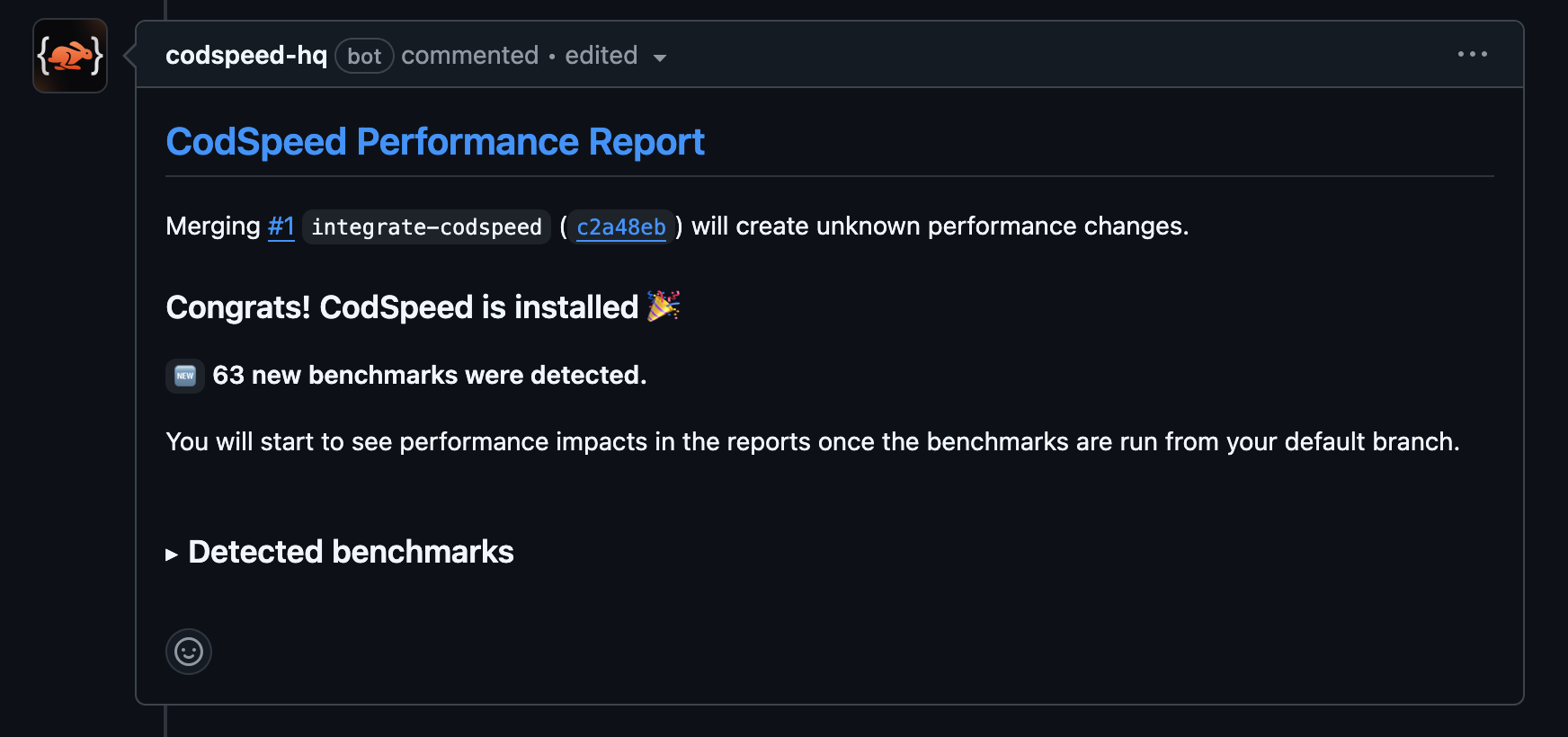
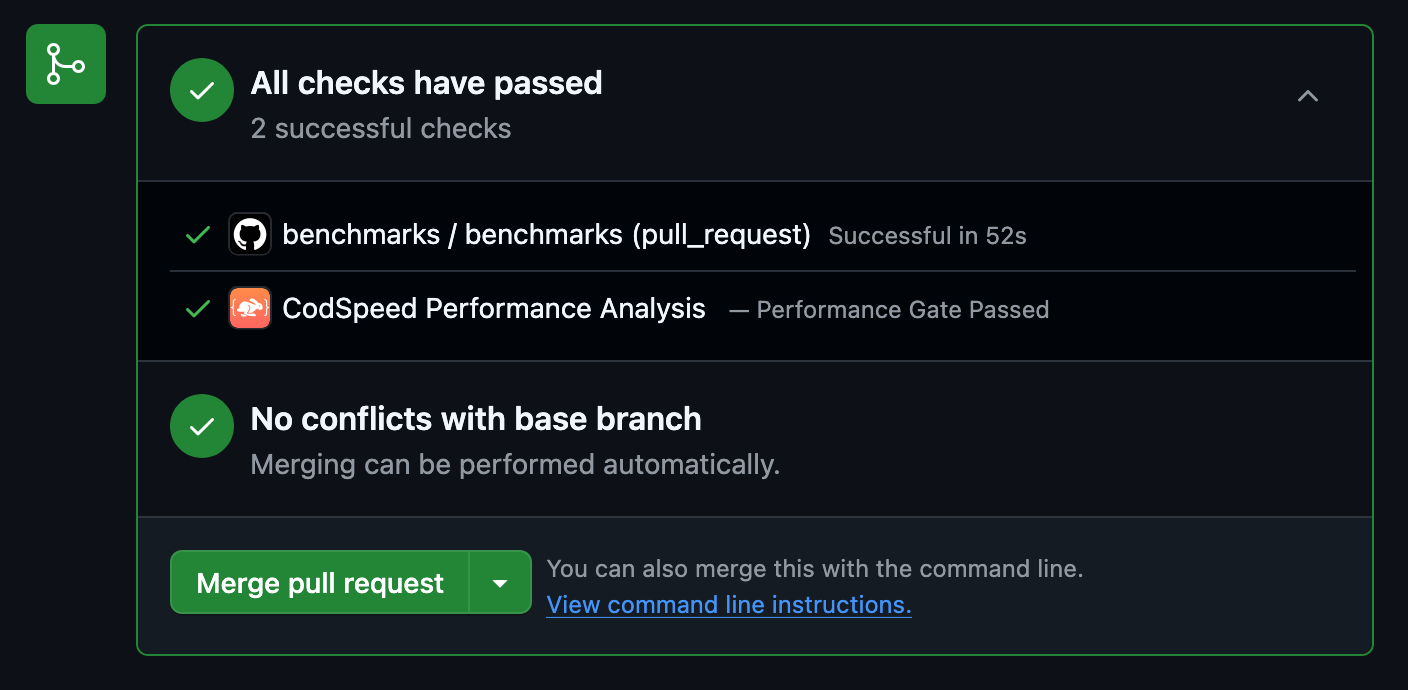
Once the workflow runs, your pull requests will receive a performance report
comment:
4
Access Detailed Reports and Flamegraphs
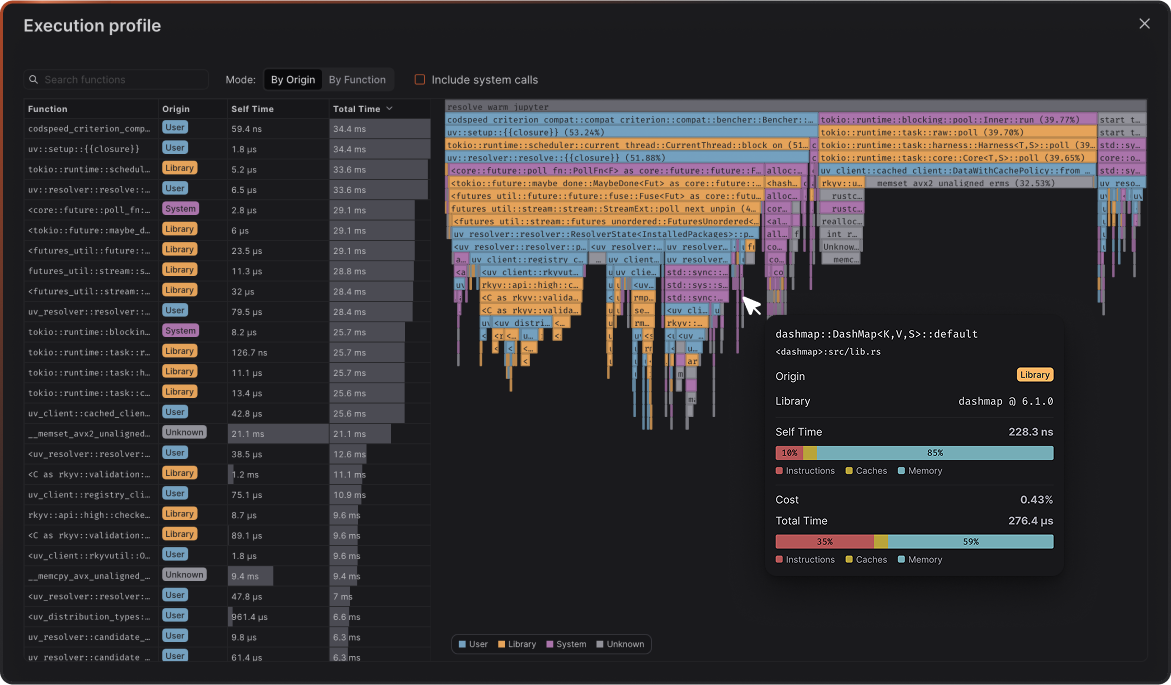
After your benchmarks run in CI, head over to your CodSpeed dashboard to see
detailed performance reports, historical trends, and flamegraph profiles for
deeper analysis.