

Jan 20, 2026
Find CPU and Memory Bottlenecks with Performance Counters
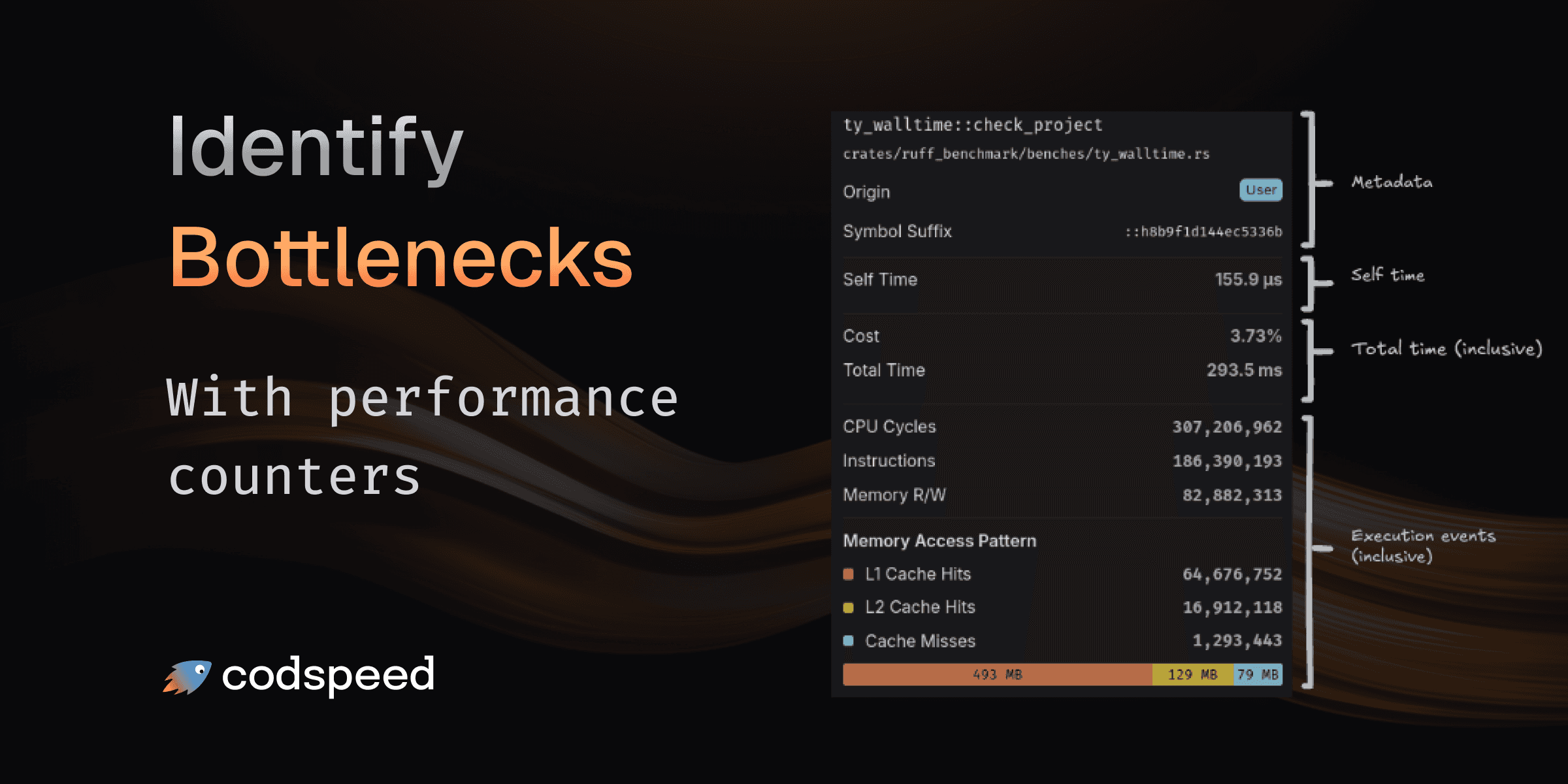
Understanding that your code is slow is one thing. Understanding why it's slow is what lets you fix it. Walltime profiling now automatically collects hardware performance counters during execution, giving you deep insights into CPU cycles, instruction counts, memory operations, and cache behavior.
What You Get
Every walltime profile now includes comprehensive hardware metrics that help you pinpoint performance bottlenecks:

CPU Metrics
- CPU Cycles: Total number of CPU cycles elapsed during execution
- Instructions: Number of CPU instructions executed
Memory Metrics
- Memory R/W: Total memory read and write operations performed
Memory Access Pattern
See exactly how your memory accesses are served with a detailed breakdown:
- L1 Cache Hits: Fastest memory accesses served from L1 cache
- L2 Cache Hits: Accesses served from second-level cache
- Cache Misses: Expensive accesses requiring main memory fetch
- Memory Access Distribution: Total bytes transferred at each cache level, calculated based on access patterns and cache line sizes
Finding the Bottleneck
The visual memory access pattern gauge shows at a glance where your code spends its time:
- High L1 cache hit rate? Your data access patterns are efficient.
- Lots of cache misses? Consider restructuring data layouts or reducing memory footprint.
- Large memory access distribution across all levels? Your working set may be too large for cache, consider processing data in smaller chunks.
Combined with the flame graph, you can now trace performance issues from high-level function calls down to specific memory access patterns causing slowdowns.
Available Now
Performance counters are automatically collected when running benchmarks on CodSpeed Macro Runners with walltime profiling enabled.
Learn more about Walltime Profiling.