> ## Documentation Index
> Fetch the complete documentation index at: https://codspeed.io/docs/llms.txt
> Use this file to discover all available pages before exploring further.
# Integrating with GitLab
> Learn how to integrate CodSpeed with GitLab.
## Setup
1. Go to your [CodSpeed settings](https://app.codspeed.io/settings)
**Required permissions**: If you are importing a repository from an
organization, you need to be either a **Provider Admin** or a **Admin** of
this organization. Check out the
[CodSpeed Roles & Permissions page](/features/roles-and-permissions) for more
information.
2. Generate
[a Personal Access Token on GitLab](https://gitlab.com/-/user_settings/personal_access_tokens?name=Codspeed+Token\&scopes=api)
with the `api` scope.
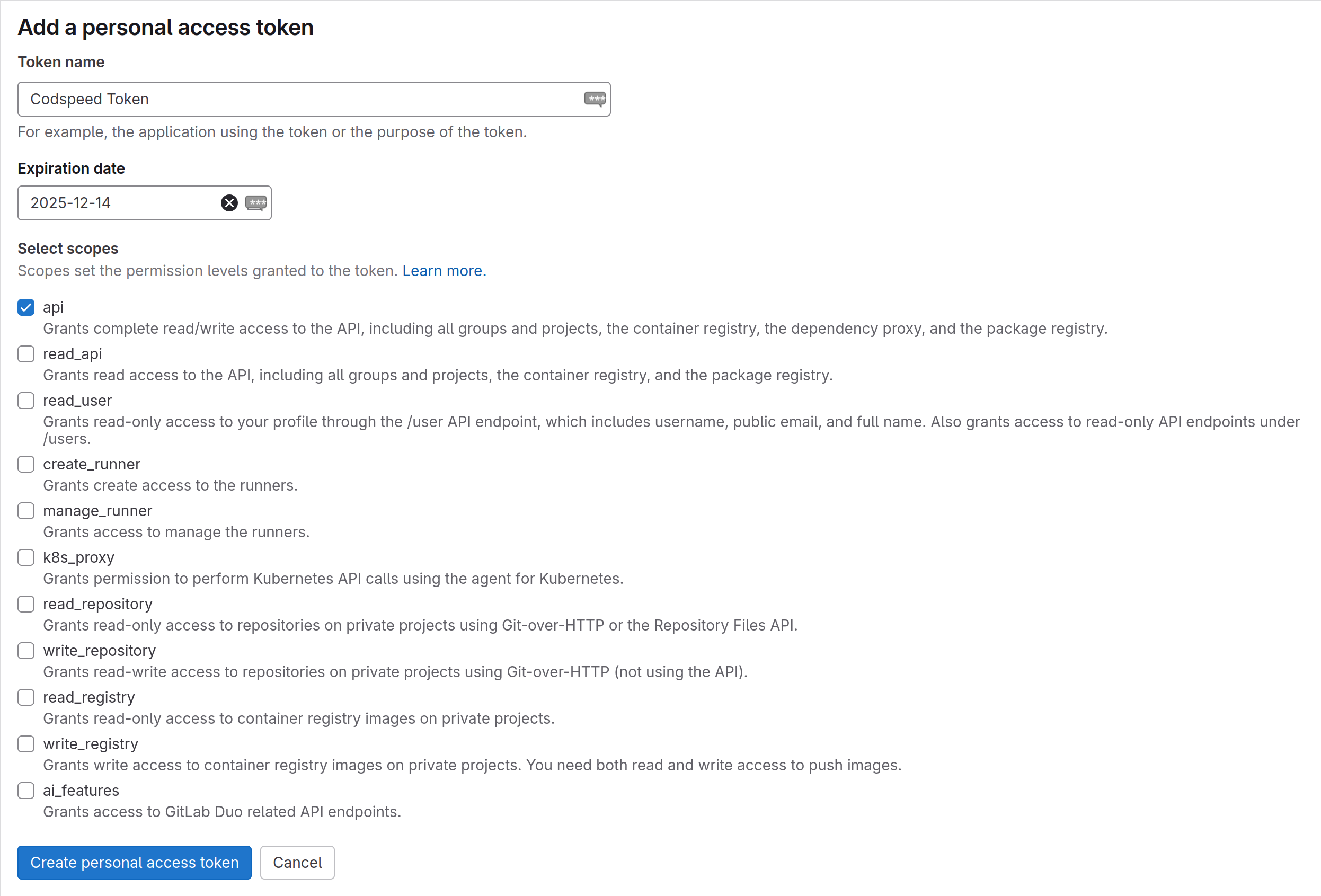 **Expiration Date**: Make sure to change the expiration date of the token
since it's set to one month by default. We recommended to set it to **one
year**. Please note that if the token is expired, your CodSpeed integration
will stop working.
**Bot Account**: CodSpeed uses a single user to access GitLab resources on
behalf of it. You can generate one either for an existing user, or for a new
dedicated bot account (recommended). This user/account will be the one to
publish comments on merge requests.
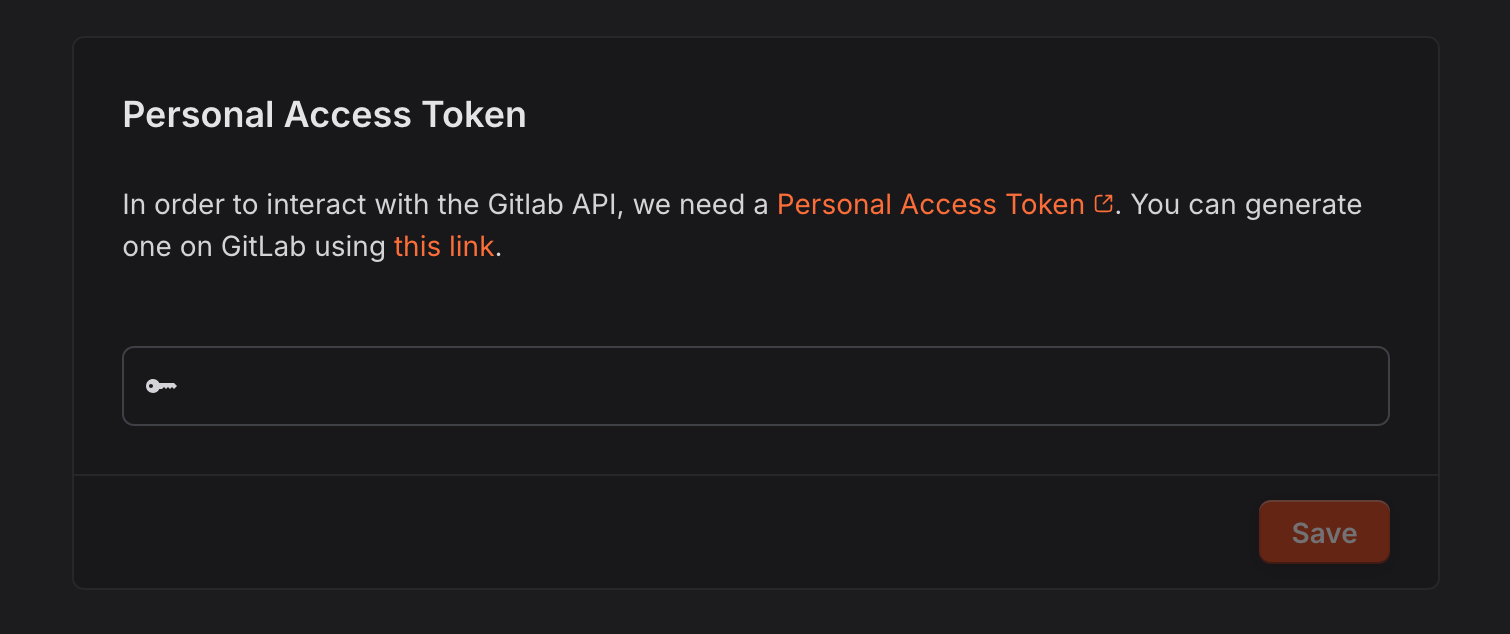
3. Fill the Personal Access Token in
[CodSpeed settings](https://app.codspeed.io/settings)
**Expiration Date**: Make sure to change the expiration date of the token
since it's set to one month by default. We recommended to set it to **one
year**. Please note that if the token is expired, your CodSpeed integration
will stop working.
**Bot Account**: CodSpeed uses a single user to access GitLab resources on
behalf of it. You can generate one either for an existing user, or for a new
dedicated bot account (recommended). This user/account will be the one to
publish comments on merge requests.
3. Fill the Personal Access Token in
[CodSpeed settings](https://app.codspeed.io/settings)
 4. Your repositories should appear in the list of repositories.
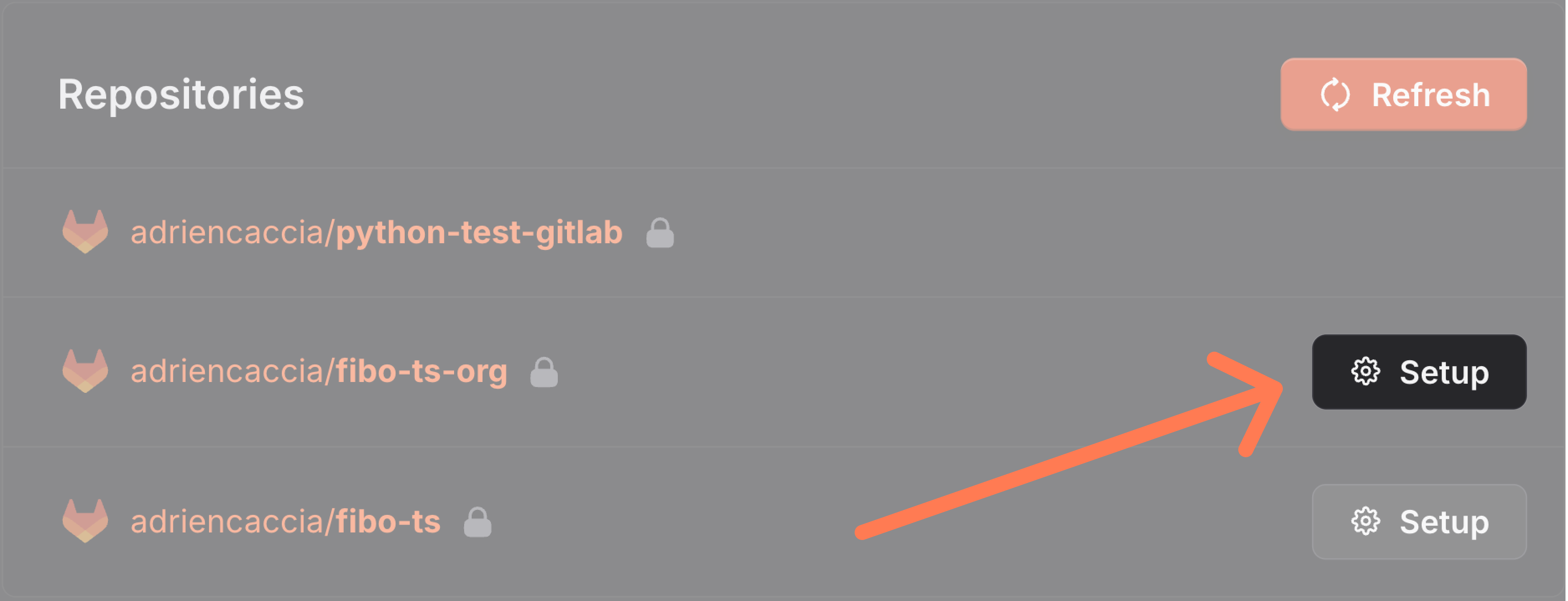 You can now continue and [setup the continuous reporting](/integrations/ci)