> ## Documentation Index
> Fetch the complete documentation index at: https://codspeed.io/docs/llms.txt
> Use this file to discover all available pages before exploring further.
# Integrating with GitHub
> Learn how to integrate CodSpeed with a GitHub repository.
## Setup
1. Go to your [CodSpeed settings](https://app.codspeed.io/settings)
If you are importing a repository from an organization, you need to be either
a **Provider Admin** or a **Admin** of this organization. Check out the
[CodSpeed Roles & Permissions page](/features/roles-and-permissions) for more
information.
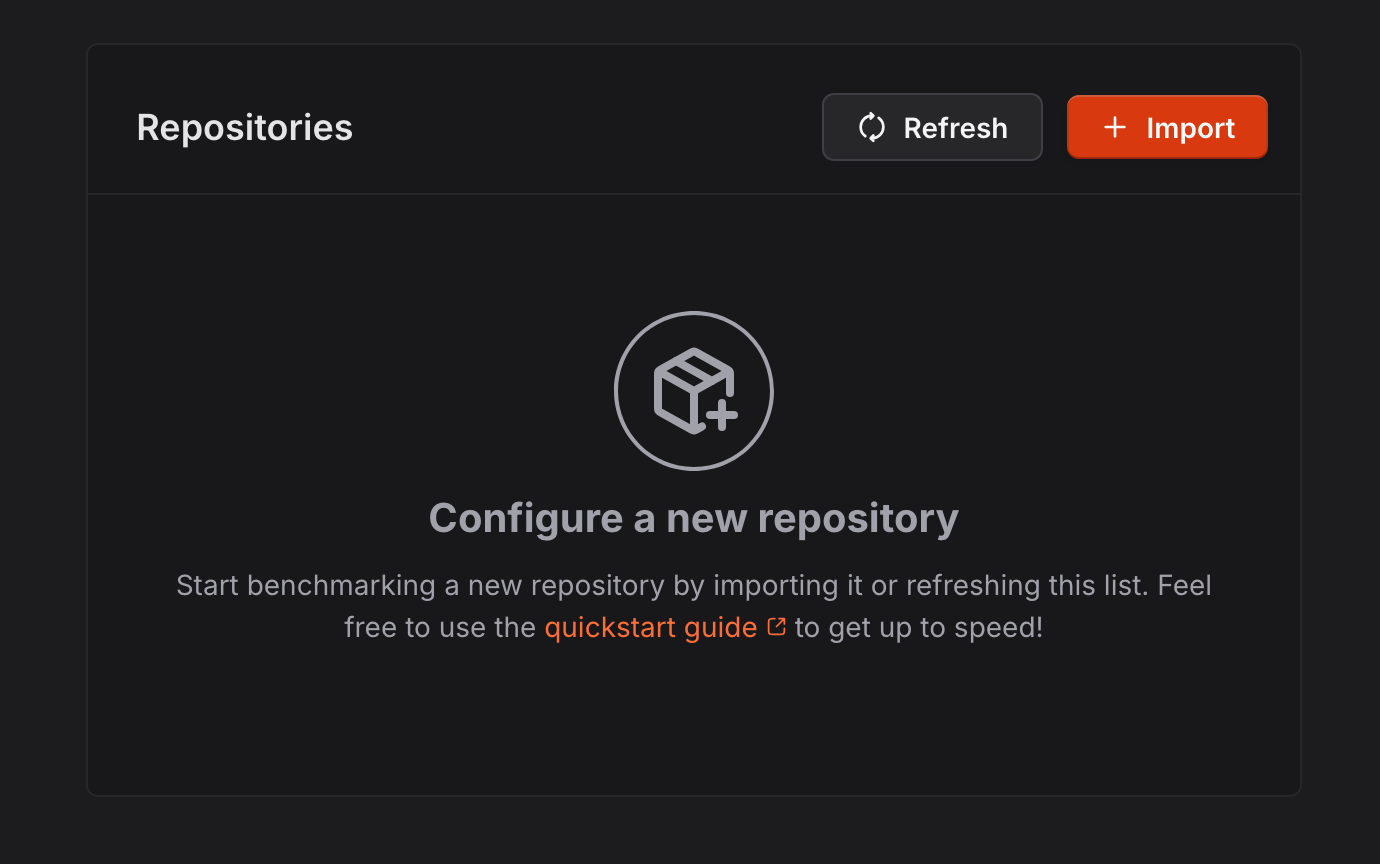
2. Click the "Import" button:
 3. Select the organization or the user you want to import the repository from:
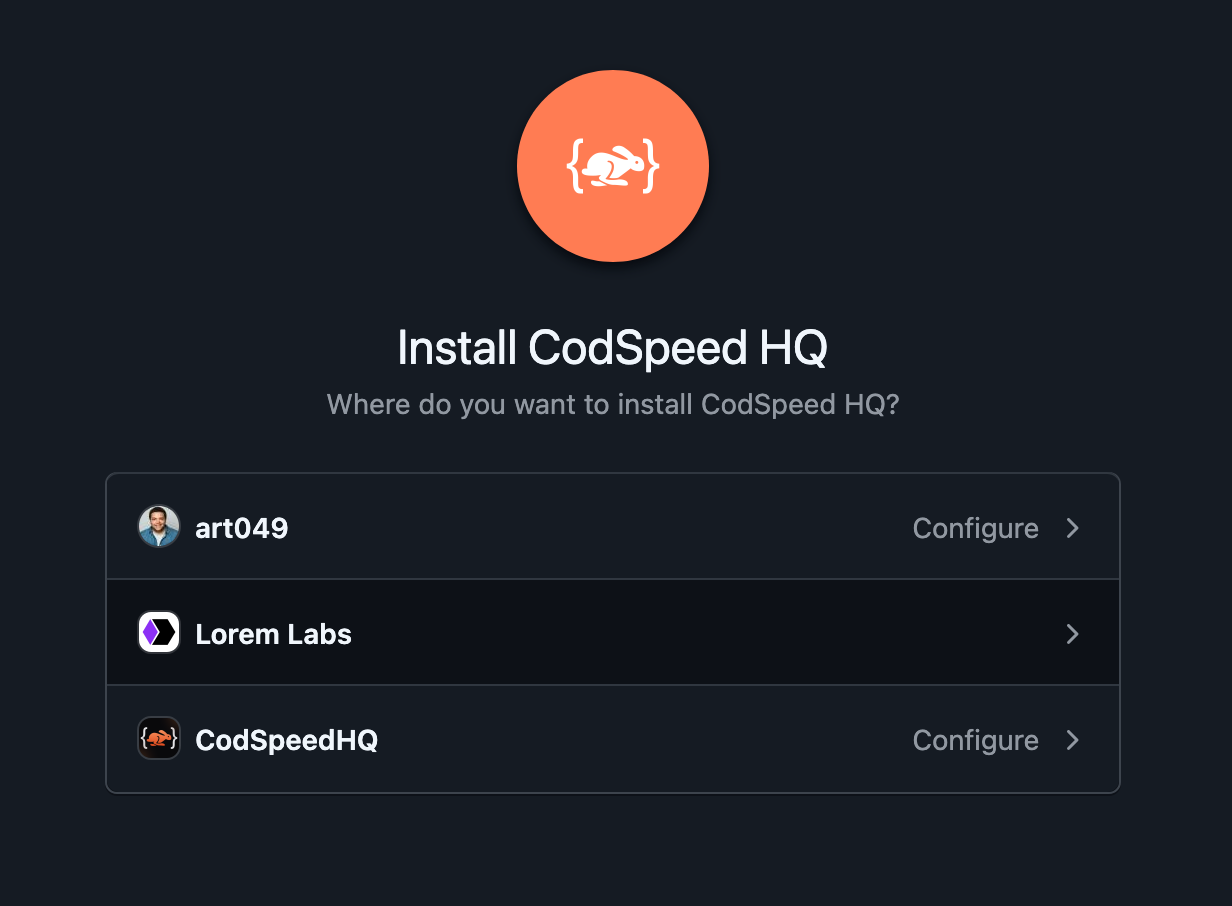 4. Select the repositories you want to benchmark and click on "Install"
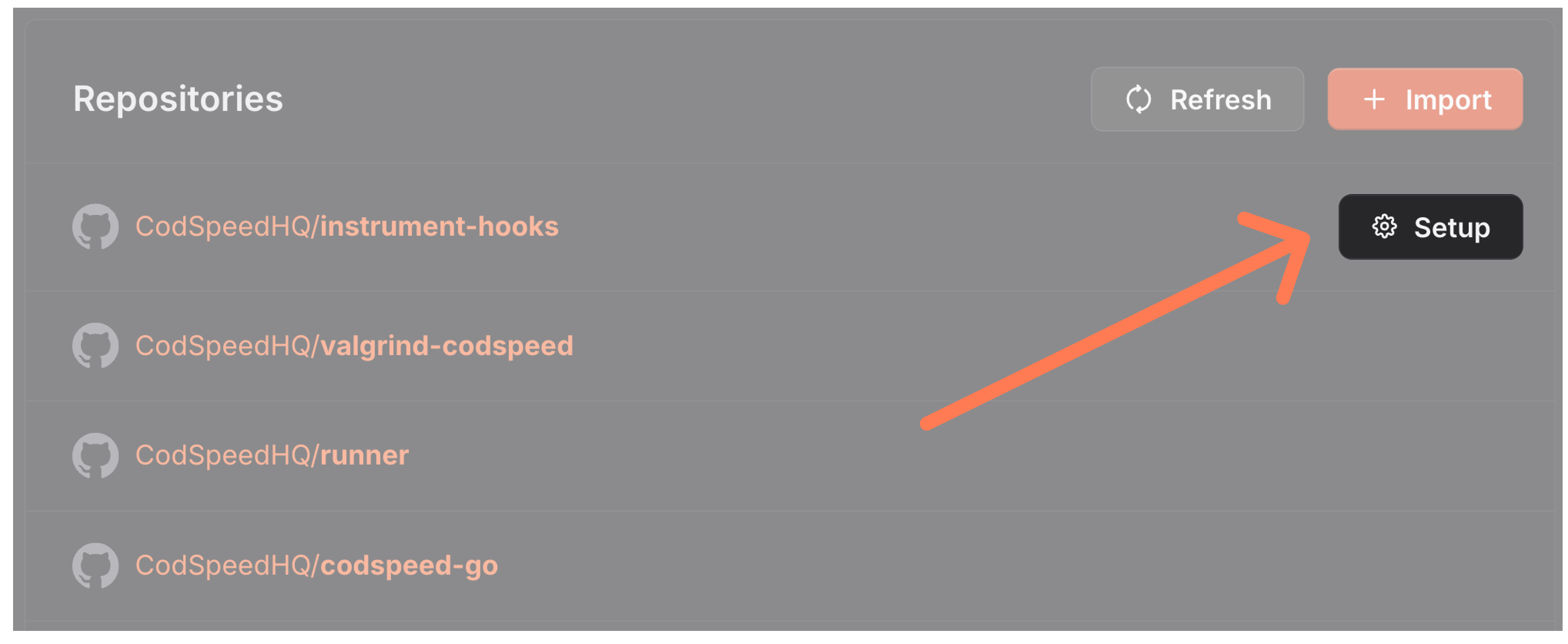
5. Your repositories should appear in the list of repositories.
4. Select the repositories you want to benchmark and click on "Install"
5. Your repositories should appear in the list of repositories.
 You can now continue and [setup the continuous reporting](/integrations/ci).
## GitHub Permissions
CodSpeed requires the following permissions to work properly with GitHub:
### Account permissions
* **Email addresses (Read-only)**: required to notify users about installation
and configuration changes.
**Act on your behalf**
When you connect CodSpeed to your GitHub account, you might see a message saying
the app wants to “Act on your behalf.” This message is a display inconsistency
on GitHub's side and doesn't reflect what CodSpeed can actually do.
You can now continue and [setup the continuous reporting](/integrations/ci).
## GitHub Permissions
CodSpeed requires the following permissions to work properly with GitHub:
### Account permissions
* **Email addresses (Read-only)**: required to notify users about installation
and configuration changes.
**Act on your behalf**
When you connect CodSpeed to your GitHub account, you might see a message saying
the app wants to “Act on your behalf.” This message is a display inconsistency
on GitHub's side and doesn't reflect what CodSpeed can actually do.
 The only permission CodSpeed requires from your personal GitHub account is read
access to your email address, which allows us to identify your account and
contact you if needed.
All interactions will otherwise be performed through the CodSpeed GitHub App,
which is installed on repositories you authorize but anyway, CodSpeed can
**never** perform actions on your behalf. For more technical background, see
[this GitHub discussion](https://github.com/orgs/community/discussions/37117).
### Repository Permissions
* **Actions (Read/Write)**: required to access the execution logs of the
workflow runs and to annotate/cancel CodSpeed workflows.
* **Checks (Read/Write)**: required to create check runs for the
[performance reports](/integrations/providers#performance-reports-in-pull-requests).
* **Commit statuses (Read-only)**: required to access commit status checks.
* **Contents (Read/Write)**:
* Read access: required to access branches and commits.
* Write access: required to recommend performance improvements by pushing
commits to a dedicated branch.
This permission does not bypass any branch protection rules you have set
up on your repository
* **Pull requests (Read/Write)**: required to access pull requests and annotate
them with
[performance reports](/integrations/providers#performance-reports-in-pull-requests)
comments.
* **Issues (Read/Write)**: required to access issues and respond to pull request
comments mentioning [@codspeedbot](/ai/wizard).
* **Metadata (Read-only)**: mandatory for all GitHub Apps.
* **Workflows (Write)**: required to [automate CodSpeed setup](/ai/wizard) on
repositories.
### Organization permissions
* **Members (Read-only)**: required to access the list of members of the
organization.
* **Self-hosted runners (Read/Write)**: required to register
[CodSpeed Macro runners](/instruments/walltime) at the organization level.
If you have any concerns about the permissions we require, please
[contact us](mailto:support@codspeed.io).
The only permission CodSpeed requires from your personal GitHub account is read
access to your email address, which allows us to identify your account and
contact you if needed.
All interactions will otherwise be performed through the CodSpeed GitHub App,
which is installed on repositories you authorize but anyway, CodSpeed can
**never** perform actions on your behalf. For more technical background, see
[this GitHub discussion](https://github.com/orgs/community/discussions/37117).
### Repository Permissions
* **Actions (Read/Write)**: required to access the execution logs of the
workflow runs and to annotate/cancel CodSpeed workflows.
* **Checks (Read/Write)**: required to create check runs for the
[performance reports](/integrations/providers#performance-reports-in-pull-requests).
* **Commit statuses (Read-only)**: required to access commit status checks.
* **Contents (Read/Write)**:
* Read access: required to access branches and commits.
* Write access: required to recommend performance improvements by pushing
commits to a dedicated branch.
This permission does not bypass any branch protection rules you have set
up on your repository
* **Pull requests (Read/Write)**: required to access pull requests and annotate
them with
[performance reports](/integrations/providers#performance-reports-in-pull-requests)
comments.
* **Issues (Read/Write)**: required to access issues and respond to pull request
comments mentioning [@codspeedbot](/ai/wizard).
* **Metadata (Read-only)**: mandatory for all GitHub Apps.
* **Workflows (Write)**: required to [automate CodSpeed setup](/ai/wizard) on
repositories.
### Organization permissions
* **Members (Read-only)**: required to access the list of members of the
organization.
* **Self-hosted runners (Read/Write)**: required to register
[CodSpeed Macro runners](/instruments/walltime) at the organization level.
If you have any concerns about the permissions we require, please
[contact us](mailto:support@codspeed.io).