> ## Documentation Index
> Fetch the complete documentation index at: https://codspeed.io/docs/llms.txt
> Use this file to discover all available pages before exploring further.
# Configuring CircleCI for CodSpeed
> Learn how to configure CircleCI to run benchmarks with CodSpeed.
## Authentication
In order to upload benchmark results to CodSpeed, the CircleCI job needs to
authenticate with CodSpeed. There are two supported methods for authentication:
OpenID Connect (OIDC) and static CodSpeed tokens.
### OIDC (Recommended)
CodSpeed recommends using
[OpenID Connect (OIDC)](https://openid.net/developers/how-connect-works/) for
authentication.
Using this method, a token is generated on-the-fly during the workflow run. This
token is then used to authenticate securely with CodSpeed without needing to
store long-lived credentials, but grants no additional permissions to the
workflow.
On CircleCI, this works by default: a job that sets no `CODSPEED_TOKEN`
authenticates with an OIDC token, and there is nothing to configure for it. If a
job cannot use OIDC, authenticate it with a [CodSpeed token](#codspeed-token).
### CodSpeed token
Some jobs cannot use OIDC and need a static CodSpeed token instead:
* Pull requests opened from a fork, whose token names the fork rather than your
repository.
* Pipelines triggered by a custom webhook, whose token names no repository at
all.
* Jobs running on an image that does not ship the `circleci` CLI, which the
CodSpeed CLI needs to request the token.
Retrieve your CodSpeed token from your repository settings on CodSpeed:
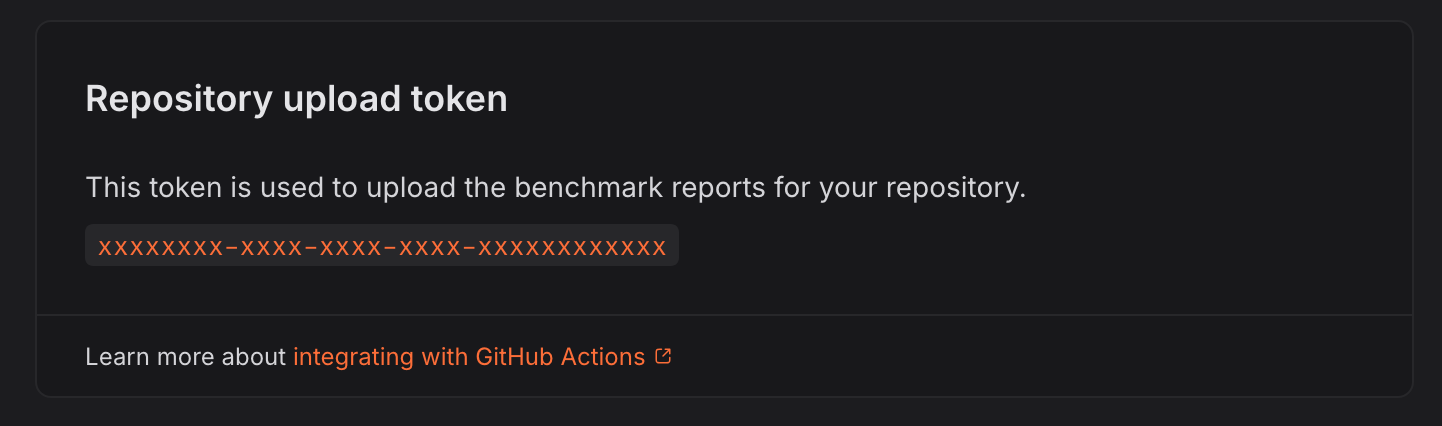 Be mindful that a token is scoped to a specific repository. Make sure that you
are on the correct repository settings page when copying the token.
Then add it as a
[project environment variable](https://circleci.com/docs/set-environment-variable/#set-an-environment-variable-in-a-project)
or in a [context](https://circleci.com/docs/contexts/), with the name
`CODSPEED_TOKEN`. The CodSpeed CLI reads it from the job environment.
## Project settings
### Pipeline trigger
CodSpeed recommends the **PR opened or pushed to, default branch and tag
pushes** event for the benchmarks pipeline: it builds the default branch,
recording the baselines, and builds pull requests, which is what CodSpeed
reports on. See
[the setup guide](/docs/integrations/ci/circleci#2-create-the-benchmarks-pipeline)
for how to set it.
### Running the benchmarks in an existing pipeline
You can add the benchmarks to a pipeline you already have. Its trigger covers
every job in it, so restricting the benchmarks to pull requests restricts the
rest too.
CircleCI does not rebuild a branch it has already built, so a branch built
before you changed the trigger receives no performance report until you push a
new commit to it.
## Legacy GitHub OAuth projects
CircleCI has
[two types of GitHub integration](https://circleci.com/docs/guides/integration/using-the-circleci-github-app-in-an-oauth-org/#two-types-of-github-integration):
the GitHub App, which the [setup guide](/docs/integrations/ci/circleci) follows, and
the GitHub OAuth app it replaces. CodSpeed supports both.
An OAuth project holds a single pipeline, and its configuration has to live in
`.circleci/config.yml`. The benchmarks job goes in that file, alongside your
other jobs, rather than in a dedicated one:
```yaml .circleci/config.yml theme={null}
version: 2.1
jobs:
tests:
docker:
- image: cimg/python:3.12
steps:
- checkout
- run: pip install -r requirements.txt
- run: pytest tests/
benchmarks:
docker:
- image: cimg/python:3.12
steps:
- checkout
- run: pip install -r requirements.txt
- run:
name: Install the CodSpeed CLI
command: |
curl -fsSL https://codspeed.io/v5.1.0/install.sh | bash
echo 'export PATH="$HOME/.cargo/bin:$PATH"' >> "$BASH_ENV"
- run:
name: Run the benchmarks
command: |
codspeed run --mode simulation -- pytest tests/ --codspeed
workflows:
ci:
jobs:
- tests
- benchmarks
```
The job needs no upload token: with `CODSPEED_TOKEN` unset, it authenticates
with an [OIDC token](#oidc-recommended). Its [trigger](#pipeline-trigger) is the
one that pipeline already has, so
[the same tradeoff applies](#running-the-benchmarks-in-an-existing-pipeline).
If you use an OAuth project with a trigger that builds **every push** and the
pull request is opened after the branch has already been built, the CodSpeed
report may not appear on the pull request. In that case, push a new commit to
the branch to get the report.
To bypass these restrictions, CodSpeed recommends installing the CircleCI GitHub
App, which can be installed alongside an existing GitHub OAuth pipeline, and
giving the benchmarks a pipeline of their own as the
[setup guide](/docs/integrations/ci/circleci) does.
## Advanced
### CLI version
The examples pin the CLI version in the install URL, which is what CodSpeed
recommends: the tools an instrument needs are pinned to it, so a version that
moves under you can
[shift the measurements](/docs/instruments/cpu/regression-causes). All versions are
listed on the [releases page](https://github.com/CodSpeedHQ/codspeed/releases).
To install the latest version on every job instead, drop the version from the
URL:
```yaml .circleci/codspeed.yml theme={null}
steps:
- run:
name: Install the CodSpeed CLI
command: |
curl -fsSL https://codspeed.io/install.sh | bash
echo 'export PATH="$HOME/.cargo/bin:$PATH"' >> "$BASH_ENV"
```
The second command puts `codspeed` on the `PATH` of the steps that follow, since
every `run` step starts a fresh shell. Refer to the CircleCI documentation on
[setting an environment variable in a shell command](https://circleci.com/docs/set-environment-variable/#set-an-environment-variable-in-a-shell-command)
for more details.
### Running benchmarks in parallel CI jobs
With CircleCI, you can split your benchmarks across multiple jobs, either with a
matrix of jobs or with the `parallelism` key.
For example with `pytest`, using a matrix. The `--test-group` options come from
[`pytest-test-groups`](/docs/benchmarks/python#running-benchmarks-in-parallel-ci-jobs),
which the benchmarks job needs installed alongside your other dependencies:
```yaml .circleci/codspeed.yml theme={null}
version: 2.1
jobs:
benchmarks:
parameters:
shard:
type: integer
docker:
- image: cimg/python:3.12
steps:
- checkout
- run: pip install -r requirements.txt
- run:
name: Install the CodSpeed CLI
command: |
curl -fsSL https://codspeed.io/v5.1.0/install.sh | bash
echo 'export PATH="$HOME/.cargo/bin:$PATH"' >> "$BASH_ENV"
- run:
name: Run the benchmarks
command: |
codspeed run --mode simulation -- \
pytest tests/ --codspeed --test-group=<< parameters.shard >> --test-group-count=2
workflows:
benchmarks:
jobs:
- benchmarks:
matrix:
parameters:
shard: [1, 2]
```
The `parallelism` key works as well, and CodSpeed keeps the results of its
containers apart. Since CircleCI numbers them from `0`, shard from
`$CIRCLE_NODE_INDEX` and `$CIRCLE_NODE_TOTAL`:
```sh theme={null}
codspeed run --mode simulation -- \
pytest tests/ --codspeed --test-group=$((CIRCLE_NODE_INDEX + 1)) --test-group-count=$CIRCLE_NODE_TOTAL
```
Keep those jobs in the same workflow. CodSpeed groups the results of a run by
CircleCI workflow, so jobs spread across several workflows produce several
incomplete runs.
Learn more about
[benchmark sharding and how to integrate with your CI provider](/docs/features/sharded-benchmarks).
### Caching the installed instruments
The CodSpeed CLI installs the tools its instruments need, such as valgrind for
CPU simulation, on every job. Install them in a step of their own with
`codspeed setup`, pointed at a directory you cache, and later jobs restore them
instead of installing them again:
```yaml .circleci/codspeed.yml theme={null}
steps:
- restore_cache:
keys:
- v1-codspeed-instruments-{{ arch }}
- run:
name: Install the CodSpeed instruments
command:
codspeed setup --mode simulation --setup-cache-dir ~/.cache/codspeed
- save_cache:
key: v1-codspeed-instruments-{{ arch }}
paths:
- ~/.cache/codspeed
- run:
name: Run the benchmarks
command: |
codspeed run --mode simulation -- pytest tests/ --codspeed
```
Only the setup step takes `--setup-cache-dir`, since the instruments it installs
are already in place when the benchmarks run. Caching right after it, rather
than after the benchmarks, means a benchmark failure does not cost the next run
the install.
The tools are pinned to the CLI version, so include that version in the cache
key when you install a pinned CLI rather than the latest one.
### Executors
Both the `machine` and the `docker` executor are supported:
* `machine`, with an Ubuntu 22.04 or later image, for example
`ubuntu-2404:current`.
* `docker`, with an image based on Ubuntu 22.04 or later, or Debian 12 or later.
CircleCI's [`cimg` images](https://circleci.com/developer/images) qualify.
Use the same one for every benchmark job, so that a run and the baseline it is
compared against are measured in the same
[runtime environment](/docs/instruments/cpu/regression-causes#ci-runner-variability).
CircleCI has full support for the [CPU simulation](/docs/instruments/cpu) and
[memory](/docs/instruments/memory) instruments. The [walltime](/docs/instruments/walltime)
instrument will run, but not produce reliable results without a dedicated
machine, and [macro runners](/docs/features/macro-runners) are not available on
CircleCI yet.
Be mindful that a token is scoped to a specific repository. Make sure that you
are on the correct repository settings page when copying the token.
Then add it as a
[project environment variable](https://circleci.com/docs/set-environment-variable/#set-an-environment-variable-in-a-project)
or in a [context](https://circleci.com/docs/contexts/), with the name
`CODSPEED_TOKEN`. The CodSpeed CLI reads it from the job environment.
## Project settings
### Pipeline trigger
CodSpeed recommends the **PR opened or pushed to, default branch and tag
pushes** event for the benchmarks pipeline: it builds the default branch,
recording the baselines, and builds pull requests, which is what CodSpeed
reports on. See
[the setup guide](/docs/integrations/ci/circleci#2-create-the-benchmarks-pipeline)
for how to set it.
### Running the benchmarks in an existing pipeline
You can add the benchmarks to a pipeline you already have. Its trigger covers
every job in it, so restricting the benchmarks to pull requests restricts the
rest too.
CircleCI does not rebuild a branch it has already built, so a branch built
before you changed the trigger receives no performance report until you push a
new commit to it.
## Legacy GitHub OAuth projects
CircleCI has
[two types of GitHub integration](https://circleci.com/docs/guides/integration/using-the-circleci-github-app-in-an-oauth-org/#two-types-of-github-integration):
the GitHub App, which the [setup guide](/docs/integrations/ci/circleci) follows, and
the GitHub OAuth app it replaces. CodSpeed supports both.
An OAuth project holds a single pipeline, and its configuration has to live in
`.circleci/config.yml`. The benchmarks job goes in that file, alongside your
other jobs, rather than in a dedicated one:
```yaml .circleci/config.yml theme={null}
version: 2.1
jobs:
tests:
docker:
- image: cimg/python:3.12
steps:
- checkout
- run: pip install -r requirements.txt
- run: pytest tests/
benchmarks:
docker:
- image: cimg/python:3.12
steps:
- checkout
- run: pip install -r requirements.txt
- run:
name: Install the CodSpeed CLI
command: |
curl -fsSL https://codspeed.io/v5.1.0/install.sh | bash
echo 'export PATH="$HOME/.cargo/bin:$PATH"' >> "$BASH_ENV"
- run:
name: Run the benchmarks
command: |
codspeed run --mode simulation -- pytest tests/ --codspeed
workflows:
ci:
jobs:
- tests
- benchmarks
```
The job needs no upload token: with `CODSPEED_TOKEN` unset, it authenticates
with an [OIDC token](#oidc-recommended). Its [trigger](#pipeline-trigger) is the
one that pipeline already has, so
[the same tradeoff applies](#running-the-benchmarks-in-an-existing-pipeline).
If you use an OAuth project with a trigger that builds **every push** and the
pull request is opened after the branch has already been built, the CodSpeed
report may not appear on the pull request. In that case, push a new commit to
the branch to get the report.
To bypass these restrictions, CodSpeed recommends installing the CircleCI GitHub
App, which can be installed alongside an existing GitHub OAuth pipeline, and
giving the benchmarks a pipeline of their own as the
[setup guide](/docs/integrations/ci/circleci) does.
## Advanced
### CLI version
The examples pin the CLI version in the install URL, which is what CodSpeed
recommends: the tools an instrument needs are pinned to it, so a version that
moves under you can
[shift the measurements](/docs/instruments/cpu/regression-causes). All versions are
listed on the [releases page](https://github.com/CodSpeedHQ/codspeed/releases).
To install the latest version on every job instead, drop the version from the
URL:
```yaml .circleci/codspeed.yml theme={null}
steps:
- run:
name: Install the CodSpeed CLI
command: |
curl -fsSL https://codspeed.io/install.sh | bash
echo 'export PATH="$HOME/.cargo/bin:$PATH"' >> "$BASH_ENV"
```
The second command puts `codspeed` on the `PATH` of the steps that follow, since
every `run` step starts a fresh shell. Refer to the CircleCI documentation on
[setting an environment variable in a shell command](https://circleci.com/docs/set-environment-variable/#set-an-environment-variable-in-a-shell-command)
for more details.
### Running benchmarks in parallel CI jobs
With CircleCI, you can split your benchmarks across multiple jobs, either with a
matrix of jobs or with the `parallelism` key.
For example with `pytest`, using a matrix. The `--test-group` options come from
[`pytest-test-groups`](/docs/benchmarks/python#running-benchmarks-in-parallel-ci-jobs),
which the benchmarks job needs installed alongside your other dependencies:
```yaml .circleci/codspeed.yml theme={null}
version: 2.1
jobs:
benchmarks:
parameters:
shard:
type: integer
docker:
- image: cimg/python:3.12
steps:
- checkout
- run: pip install -r requirements.txt
- run:
name: Install the CodSpeed CLI
command: |
curl -fsSL https://codspeed.io/v5.1.0/install.sh | bash
echo 'export PATH="$HOME/.cargo/bin:$PATH"' >> "$BASH_ENV"
- run:
name: Run the benchmarks
command: |
codspeed run --mode simulation -- \
pytest tests/ --codspeed --test-group=<< parameters.shard >> --test-group-count=2
workflows:
benchmarks:
jobs:
- benchmarks:
matrix:
parameters:
shard: [1, 2]
```
The `parallelism` key works as well, and CodSpeed keeps the results of its
containers apart. Since CircleCI numbers them from `0`, shard from
`$CIRCLE_NODE_INDEX` and `$CIRCLE_NODE_TOTAL`:
```sh theme={null}
codspeed run --mode simulation -- \
pytest tests/ --codspeed --test-group=$((CIRCLE_NODE_INDEX + 1)) --test-group-count=$CIRCLE_NODE_TOTAL
```
Keep those jobs in the same workflow. CodSpeed groups the results of a run by
CircleCI workflow, so jobs spread across several workflows produce several
incomplete runs.
Learn more about
[benchmark sharding and how to integrate with your CI provider](/docs/features/sharded-benchmarks).
### Caching the installed instruments
The CodSpeed CLI installs the tools its instruments need, such as valgrind for
CPU simulation, on every job. Install them in a step of their own with
`codspeed setup`, pointed at a directory you cache, and later jobs restore them
instead of installing them again:
```yaml .circleci/codspeed.yml theme={null}
steps:
- restore_cache:
keys:
- v1-codspeed-instruments-{{ arch }}
- run:
name: Install the CodSpeed instruments
command:
codspeed setup --mode simulation --setup-cache-dir ~/.cache/codspeed
- save_cache:
key: v1-codspeed-instruments-{{ arch }}
paths:
- ~/.cache/codspeed
- run:
name: Run the benchmarks
command: |
codspeed run --mode simulation -- pytest tests/ --codspeed
```
Only the setup step takes `--setup-cache-dir`, since the instruments it installs
are already in place when the benchmarks run. Caching right after it, rather
than after the benchmarks, means a benchmark failure does not cost the next run
the install.
The tools are pinned to the CLI version, so include that version in the cache
key when you install a pinned CLI rather than the latest one.
### Executors
Both the `machine` and the `docker` executor are supported:
* `machine`, with an Ubuntu 22.04 or later image, for example
`ubuntu-2404:current`.
* `docker`, with an image based on Ubuntu 22.04 or later, or Debian 12 or later.
CircleCI's [`cimg` images](https://circleci.com/developer/images) qualify.
Use the same one for every benchmark job, so that a run and the baseline it is
compared against are measured in the same
[runtime environment](/docs/instruments/cpu/regression-causes#ci-runner-variability).
CircleCI has full support for the [CPU simulation](/docs/instruments/cpu) and
[memory](/docs/instruments/memory) instruments. The [walltime](/docs/instruments/walltime)
instrument will run, but not produce reliable results without a dedicated
machine, and [macro runners](/docs/features/macro-runners) are not available on
CircleCI yet.