> ## Documentation Index
> Fetch the complete documentation index at: https://codspeed.io/docs/llms.txt
> Use this file to discover all available pages before exploring further.
# Running Benchmarks in Buildkite
> Learn how to setup CodSpeed and run benchmarks within your Buildkite CI workflow
Running benchmarks in CI environments presents unique challenges due to the
inherent noise and variability of shared cloud infrastructure. Standard hosted
runners can exhibit significant performance variance.
Read our detailed post on [how CI noise affects benchmark
consistency](https://codspeed.io/blog/benchmarks-in-ci-without-noise).
[CodSpeed instruments](/instruments) are designed to mitigate these challenges
and gather accurate performance data even in noisy environments. The easiest way
to get started running benchmarks in Buildkite is to use the
[CodSpeed Runner](https://github.com/CodSpeedHQ/codspeed) directly.
## Setup
For now, only the following OS and versions are supported on the agents:
* Ubuntu 22.04 and later
* Debian 12 and later
### 1. Setup the `CODSPEED_TOKEN` secret
First, you need to get your CodSpeed Token. There are multiple ways to retrieve
it:
* Once you enable a repository on CodSpeed, you'll be prompted to copy the token
* You can also find it on the repository settings page
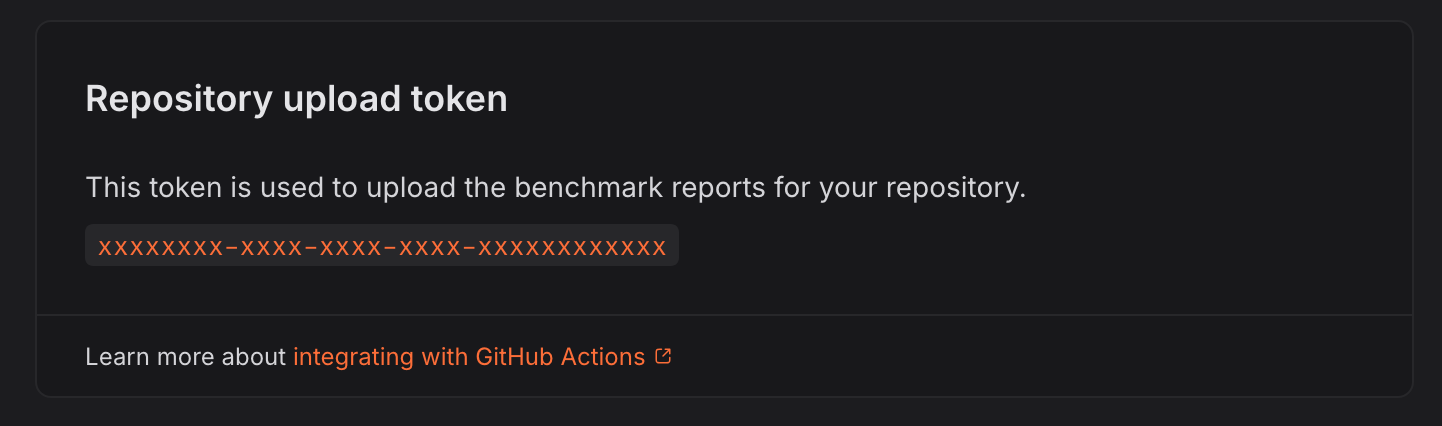 **Token Scope**: Be mindful that a token is scoped to a specific repository.
Make sure that you are on the correct repository settings page when copying the
token.
Then, create a new
[pipeline secret with your preferred method](https://buildkite.com/docs/pipelines/secrets)
with the name `CODSPEED_TOKEN` and the value of your token.
### 2. Install the `codspeed-runner` CLI in your agent
Install the CLI on your agent by running the following commands:
```bash theme={null}
CODSPEED_RUNNER_VERSION= # refer to https://github.com/CodSpeedHQ/codspeed/releases for available versions
curl -fsSL https://codspeed.io/$CODSPEED_RUNNER_VERSION/install.sh | bash
```
Refer to the [releases page](https://github.com/CodSpeedHQ/codspeed/releases) to
see all available versions.
### 3. Create the benchmarks pipeline
In a new or existing pipeline, add a step that will run your benchmarks with
`codspeed-runner`:
```yml .buildkite/pipeline.yml theme={null}
steps:
- label: "Run benchmarks with CodSpeed"
command: |
... # your build commands
codspeed-runner --token=$CODSPEED_TOKEN --
```
### 3. Check the results
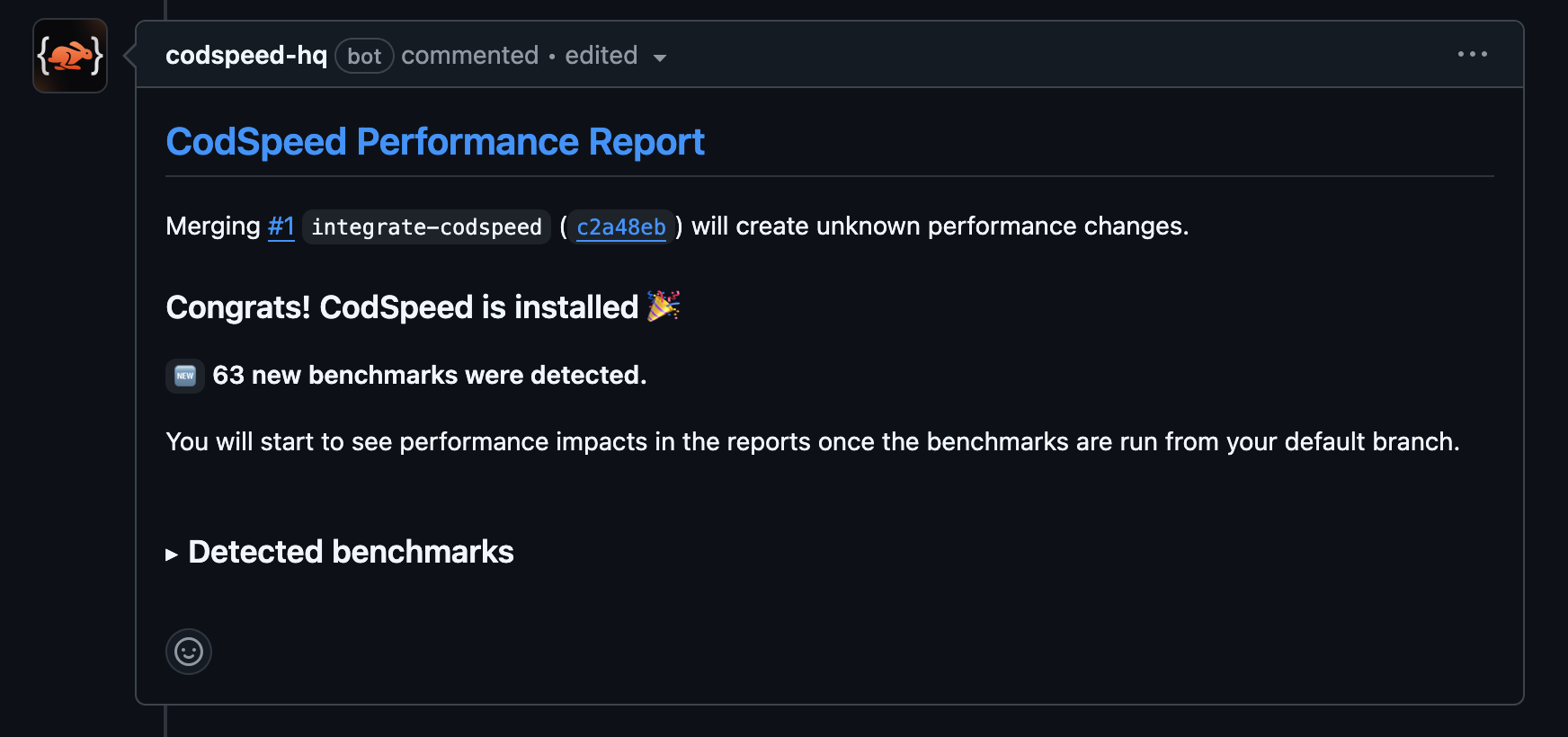
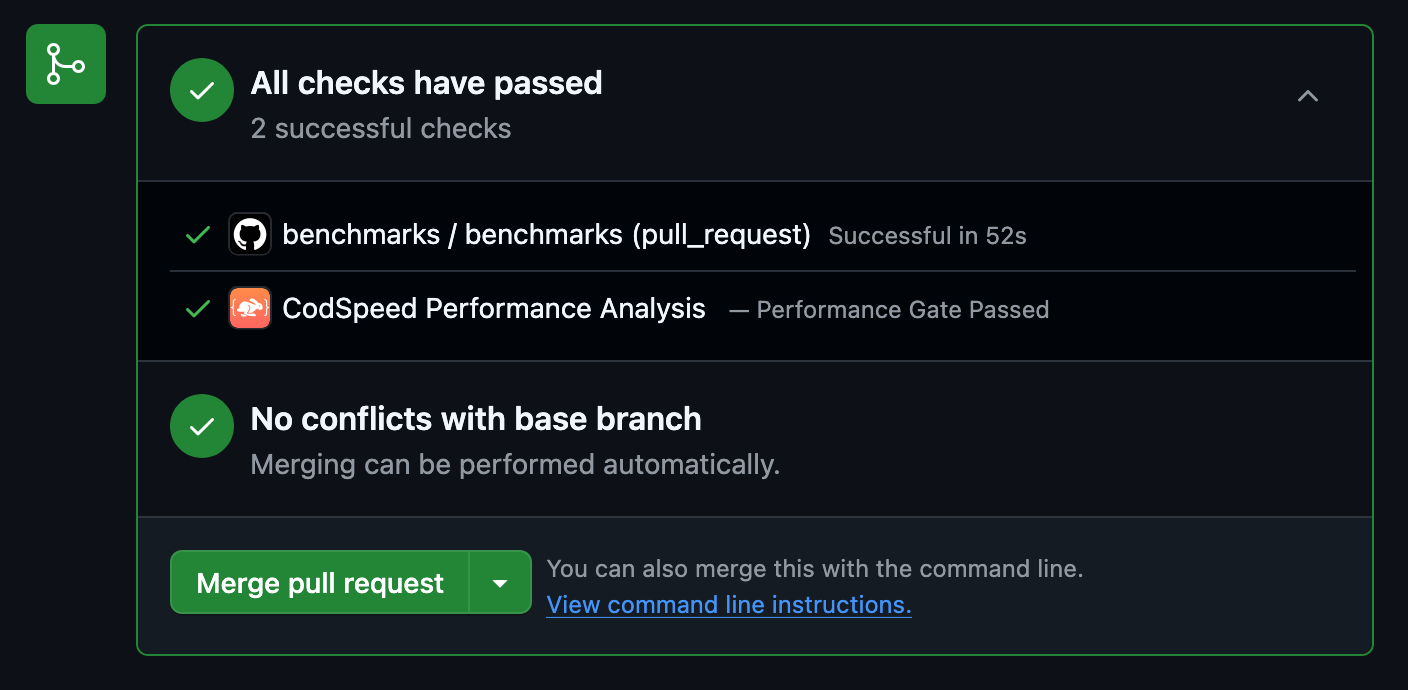
Once the workflow is created, your pull requests will receive a performance
report comment and will also receive some additional checks:
**Token Scope**: Be mindful that a token is scoped to a specific repository.
Make sure that you are on the correct repository settings page when copying the
token.
Then, create a new
[pipeline secret with your preferred method](https://buildkite.com/docs/pipelines/secrets)
with the name `CODSPEED_TOKEN` and the value of your token.
### 2. Install the `codspeed-runner` CLI in your agent
Install the CLI on your agent by running the following commands:
```bash theme={null}
CODSPEED_RUNNER_VERSION= # refer to https://github.com/CodSpeedHQ/codspeed/releases for available versions
curl -fsSL https://codspeed.io/$CODSPEED_RUNNER_VERSION/install.sh | bash
```
Refer to the [releases page](https://github.com/CodSpeedHQ/codspeed/releases) to
see all available versions.
### 3. Create the benchmarks pipeline
In a new or existing pipeline, add a step that will run your benchmarks with
`codspeed-runner`:
```yml .buildkite/pipeline.yml theme={null}
steps:
- label: "Run benchmarks with CodSpeed"
command: |
... # your build commands
codspeed-runner --token=$CODSPEED_TOKEN --
```
### 3. Check the results
Once the workflow is created, your pull requests will receive a performance
report comment and will also receive some additional checks:
 ## Next Steps
Understand the performance metrics generated by CodSpeed
Make sure you or team members never merge unexpected performance regressions
Get detailed flame graphs and performance traces for your benchmarks
Run your benchmarks in parallel to speed up your CI
## Next Steps
Understand the performance metrics generated by CodSpeed
Make sure you or team members never merge unexpected performance regressions
Get detailed flame graphs and performance traces for your benchmarks
Run your benchmarks in parallel to speed up your CI