> ## Documentation Index
> Fetch the complete documentation index at: https://codspeed.io/docs/llms.txt
> Use this file to discover all available pages before exploring further.
# Wizard (@codspeedbot)
> CodSpeed's AI agent that sets up benchmarks, explains performance changes, and proposes fixes directly in GitHub.
export const TocConfig = ({hideBelow}) => {
const ALL_LEVELS = ["h2", "h3", "h4"];
const HEADING_TO_DEPTH = {
h2: "0",
h3: "1",
h4: "2"
};
const cutoff = ALL_LEVELS.indexOf(hideBelow);
if (cutoff === -1) return null;
const hidden = ALL_LEVELS.slice(cutoff + 1);
if (!hidden.length) return null;
const selectors = hidden.map(level => `.toc-item[data-depth="${HEADING_TO_DEPTH[level]}"]`).join(",\n");
return ;
};
export const McpIcon = props => ;
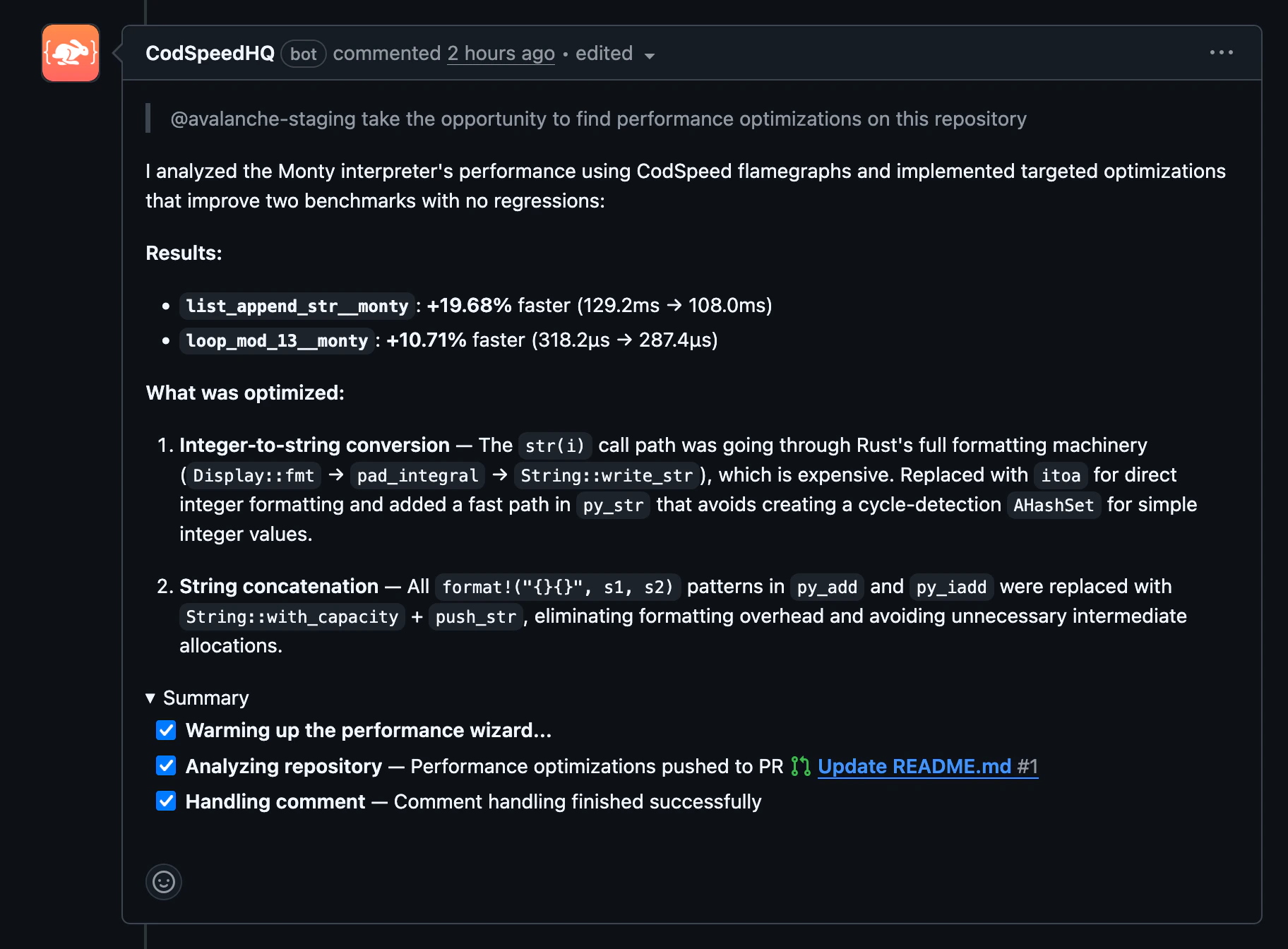
The CodSpeed Wizard is an AI agent that sets up benchmarks and CI
configurations, explains regressions, and proposes code fixes. Use it from the
**CodSpeed dashboard** to set up a repository, or mention `@codspeedbot` in any
**pull request comment**, **issue comment**, or **review comment** for ongoing
performance work.
## Example usage
* **Performance breakdown**: ask for a summary of how a branch or pull request
affects performance.
```
@codspeedbot what's the performance impact of this PR?
```
* **Explain a regression**: ask the Wizard to investigate why a benchmark
regressed and describe the root cause.
```
@codspeedbot explain the regression on bench_parse
```
* **Propose a fix**: ask the Wizard to investigate a regression and open a pull
request with a targeted fix.
```
@codspeedbot fix the regression on bench_serialize
```
* **Add benchmarks**: request benchmarks for a specific function or module.
```
@codspeedbot add a benchmark for the parse_config function
```
`@codspeedbot` requires the CodSpeed GitHub App to be installed on your
repository. If you used the dashboard Wizard for initial setup, the app is
already installed.
The Wizard is enabled by default on all accounts and organizations, but can be
disabled by an admin in the settings.
## Next steps
} href="/ai/mcp">
Connect AI coding assistants to your CodSpeed performance data directly from
your editor.
Teach AI assistants to set up benchmarks and optimize performance
autonomously.
 ## Example usage
* **Performance breakdown**: ask for a summary of how a branch or pull request
affects performance.
```
@codspeedbot what's the performance impact of this PR?
```
* **Explain a regression**: ask the Wizard to investigate why a benchmark
regressed and describe the root cause.
```
@codspeedbot explain the regression on bench_parse
```
* **Propose a fix**: ask the Wizard to investigate a regression and open a pull
request with a targeted fix.
```
@codspeedbot fix the regression on bench_serialize
```
* **Add benchmarks**: request benchmarks for a specific function or module.
```
@codspeedbot add a benchmark for the parse_config function
```
## Example usage
* **Performance breakdown**: ask for a summary of how a branch or pull request
affects performance.
```
@codspeedbot what's the performance impact of this PR?
```
* **Explain a regression**: ask the Wizard to investigate why a benchmark
regressed and describe the root cause.
```
@codspeedbot explain the regression on bench_parse
```
* **Propose a fix**: ask the Wizard to investigate a regression and open a pull
request with a targeted fix.
```
@codspeedbot fix the regression on bench_serialize
```
* **Add benchmarks**: request benchmarks for a specific function or module.
```
@codspeedbot add a benchmark for the parse_config function
```